
Categories
Best practices General

Protecting Your Data In The Cloud

Cloud storage has indeed transformed how we manage and access data, enabling us to store, retrieve, and share files from virtually anywhere with an internet connection. Businesses leverage cloud storage to streamline operations, while individuals rely on it to safeguard personal memories and important documents.

Consequently, like many technological advancements, cloud storage has its risks. Cybersecurity threats such as data breaches, unauthorized access, and information loss loom large. By addressing common concerns, sharing relatable examples, and offering practical tips, we aim to empower you to keep your data safe while enjoying the benefits of cloud technology.

Why Cloud Security Matters

Photo from Unsplash

Imagine you’ve stored important business contracts, personal tax documents, or cherished family photos in the cloud. One day, you wake up to discover that this information has been accessed without your permission or, worse, deleted. The emotional and financial toll of such incidents is profound, making cloud security not just a technical issue but a deeply personal one.

Imagine you’ve stored important business contracts, personal tax documents, or cherished family photos in the cloud. One day, you wake up to discover that this information has been accessed without your permission or, worse, deleted. The emotional and financial toll of such incidents is profound, making cloud security not just a technical issue but a deeply personal one.

The Risks of Cloud Storage

Before exploring solutions, let’s take a closer look at the most common risks associated with cloud storage:

  1. Data Breaches: Unauthorized access to sensitive data can occur due to weak passwords, insider threats, or sophisticated hacking techniques. Once compromised, this information can be sold on the dark web or used to harm individuals and organizations.
  2. Data Loss: Accidents happen. Files can be mistakenly deleted or corrupted during a system error. Without a reliable backup system, recovering lost data may be impossible.
  3. Data Tampering: Altering the contents of files can have serious repercussions. Imagine a financial report being manipulated to mislead stakeholders or a legal document being altered without your consent.
  4. Denial of Service (DoS) Attacks: In a DoS attack, malicious actors flood a cloud storage provider’s servers with traffic, rendering your data inaccessible. For businesses, this can lead to downtime and loss of revenue.

Storytime: Recent Cloud Security Breaches

  • 2024 Microsoft Data Breach: In a significant data breach, Microsoft’s cloud storage service was compromised, affecting numerous high-profile organizations, including airports, financial institutions, educational institutions, and healthcare providers. The breach highlighted the importance of robust cloud security measures.
  • Nigerian Data Breaches: Nigeria has also experienced its share of data breaches. For example, in 2020, the Nigerian National Identity Management Commission (NIMC) suffered a data breach, exposing the personal data of millions of Nigerians. Another notable breach occurred in 2022, when the Nigerian Ports Authority (NPA) was hacked, resulting in the theft of sensitive data.

How To Protect Your Data In The Cloud

  1. Choose a reputable cloud storage provider: When selecting a cloud storage provider, look for one that has a strong track record of security and compliance. Some popular cloud storage providers that prioritize security include: Google Drive, Microsoft OneDrive, and Amazon.
  2. Use Strong Passwords and Enable Two-Factor Authentication: A strong password is your first line of defence. Use a password manager like LastPass or 1Password to generate and store complex, unique passwords for each account. Enabling 2FA adds an extra layer of security. This feature requires a secondary verification step, such as entering a code sent to your phone or email, making it harder for unauthorized users to access your account.
  3. Encrypt your data: Encrypting your data can help protect it from unauthorized access. Look for cloud storage providers that offer encryption features. For an additional layer of protection, consider third-party encryption tools like Boxcryptor or Cryptomator.
  4. Use access controls: Access controls can help limit who can access your data in the cloud. Look for cloud storage providers that offer access control features, such as: Role-Based Access Control (RBAC) and File-Level Access Control.
  5. Monitor your account activity: Monitoring your account activity can help you detect and respond to potential security incidents. Look for cloud storage providers that offer account activity monitoring.
  6. Use a cloud security gateway: A cloud security gateway can help protect your data in the cloud by providing an additional layer of security. Look for cloud security gateways that offer features such as encryption and access controls.
  7. Regularly back-up your data: Regularly backing up your data can help ensure that it’s available and recoverable in the event of a security incident or data loss. Look for cloud storage providers that offer automatic backup features, such as: versioning and snapshots.
  8. Use a secure internet connection: Avoid accessing your cloud storage over public Wi-Fi networks, which are vulnerable to eavesdropping. If you must use public Wi-Fi, protect your connection with a Virtual Private Network (VPN).
  9. Keep your software up to date: Outdated software can have vulnerabilities that hackers exploit. Keeping your software up to date can help ensure that you have the latest security patches and features. Make sure to regularly update your operating system, browser, and other software.
  10. Use two-factor authentication for all accounts: Using two-factor authentication (2FA) can help add an extra layer of security to all of your accounts. Consider using a 2FA app like Authy, Microsoft Authenticator or Google Authenticator.

Cloud Storage Security Tools For Everyone

  • Cloud Security Gateways: Netskope and Skyhigh Networks
  • Encryption Tools: Boxcryptor and Cryptomator
  • Access Control Tools: Okta and OneLogin
  • Backup and Recovery Tools: Backblaze and CrashPlan

Cloud security isn’t a one-way street. Providers can only implement safeguards to protect their infrastructure, but users must also take responsibility for securing their data. Think of it as a partnership: both parties must work together to ensure robust security.

By working together, we can ensure that cloud storage remains a secure and reliable option for storing and managing sensitive data.

Categories
Best practices General Tech

Staying Ahead Of Cyberattacks

Cyberattacks are becoming more sophisticated with the rise of the digital age, leading to more targeted and frequent breaches. From individuals to large organizations, everyone is a potential target – no one is safe. Staying ahead of cyberattacks requires not only understanding about existing cyber threats but also implementing effective measures to protect and secure important data and information from intruders. This article will simplify what cyberattack means to you, help you explore the types and sources of cyberattacks, highlight measures for staying safe, and discuss growing challenges and trends in cybersecurity.

What is a Cyberattack?

In its basic definition, a cyberattack is generally an attempt by malicious individuals or groups to gain unauthorized access to computers, networks, or data. These kinds of attacks often aim at stealing, disrupting, or destroying information or leveraging it for financial or political gain.

Types of Cyberattacks

Cyberattacks come in many flavors and faces, with different methods and intentions. Here are the common types:

Phising

Photo from Pixabay

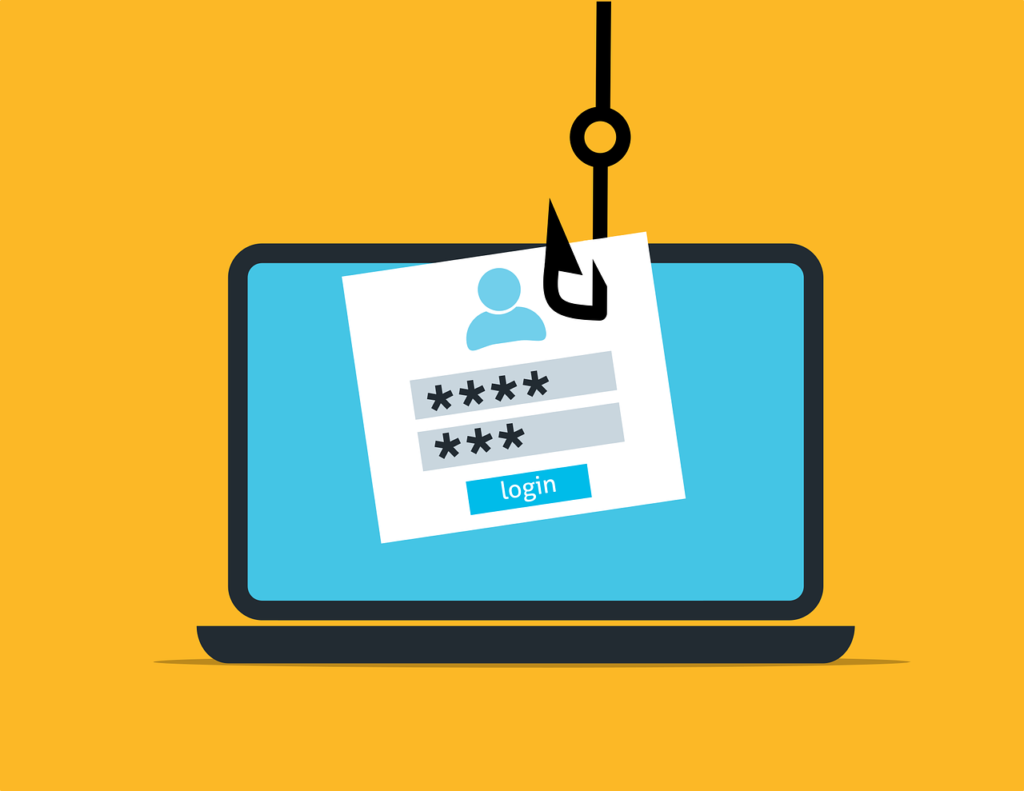
This attack is one of the common cyberattacks in which phishing attacks, attackers impersonate any credible entity through emails, messages, or websites and influence people to reveal sensitive passwords or credit card details, etc. Usually, these attacks involve psychological means, social engineering, whereby conditions for urgency or fear are attached to prompt victims into precipitating actions such as clicking malicious links or downloading harmful attachments.

Common Types of Phishing Attacks

  1. Email Phishing: The most common method in which an attacker sends thousands of emails that are originally from seemingly legitimate sources, containing links to fake web pages designed to capture user credentials.
  2. Spear Phishing: A targeted attack at specific individuals or organizations utilizing personalized information to gain credibility. This method poses a great danger since it is addressed to high-level executives.
  3. Whaling: A form of spear phishing targeted at high-profile targets, such as the CEO or CFO, by using their authority to gain access to sensitive information from employees.
  4. Smishing and Vishing: These are phishing methods via SMS (smishing) or voice calls (vishing), in which the attackers deceive victims into revealing personal information either over the phone or via text messages.
  5. Clone Phishing: Entails the almost exact reproduction of an already sent legitimate email from a trusted organization but this time with malicious links.

Instances of some phishing attacks

  1. The Google and Facebook Phishing Attack 

A Lithuanian scammer defrauded Google and Facebook of $100 million between 2013 and 2015 by sending fake invoices that appeared to be legitimate requests from a Taiwanese supplier, Quanta. The fraud was discovered, arrests were made, but only $49.7 million was recovered.

2. Elara Caring Incident

In 2020, healthcare provider Elara Caring became the target of a phishing attack where the personal data of over 100,000 patients was compromised. The attackers accessed employee email accounts through phishing tactics targeting two employees.

3. Levitas Capital Whaling Attack

This was a whaling attack in 2020 which involved the co-founder of Levitas Capital through a fraudulent zoom link. The incident turned into malware deployment on the corporate network and the appearance of fraudulent invoices for approximately $8.7m.

Malware

Photo from Pixabay

Malware refers to a wide range of malignant software programs that are written to infect and destroy systems. The common types are:

  1. Viruses: Malicious code attached to clean files that spread to a computer system.
  2. Ransomware: A kind of malware that encrypts the files on the victim’s device and demands payment for the decryption keys.
  3. Spyware: Software used to secretly observe user activity and gather personal information without consent.

Phishing attacks are often the initial vector for malware distribution, with many ransomware incidents starting from phishing emails. 

An instance of this kind of attack is the ransomware attack against the Colonial Pipeline in May 2021 which disrupted fuel supply across the U.S. East Coast for nearly a week. The attack vector had been linked to phishing emails that gave the DarkSide gang an entrance into the company’s systems, which eventually made the company pay a ransom of $4.4 million1.

Denial of Service (DoS) and Distributed Denial of Service (DDoS)

The intent of Denial of Service attacks is to make the network or server unavailable for the authorized users by overwhelming it with traffic. This is augmented in DDoS to involve hundreds of compromised systems or ‘botnets’ to literally flood the target with requests, with which the defenses may hardly cope. A notable DDoS attack occurred in October 2016 against Dyn, a major DNS provider, which disrupted services for many high-profile websites like Twitter and Netflix for several hours.

Man-in-the-Middle and Insider Attacks

In Man-in-the-Middle (MitM) attacks, cyber criminals intercept communications between two parties to steal data or inject malicious content. Insider attack: When employees or contractors misuse their access rights to harm the organization or steal sensitive information. An example is the ransomware attack the City of Atlanta suffered in March 2018 initiated through spear phishing emails sent from compromised accounts of trusted contacts within the city government.

Social Engineering and Credential Stuffing

Social engineering is a method of tricking people into revealing confidential information by gaining their confidence. Credential stuffing refers to when an attacker uses stolen credentials from one breach to access accounts on other platforms where users have reused passwords. This technique leverages the common user behavior of password reuse, thus simplifying the process for the attacker to gain unauthorized access. In 2016, attackers exploited stolen credentials from previous breaches to access accounts at various online services, leading to widespread unauthorized access incidents across multiple platforms.

 Zero-Day Exploits

Zero-day exploits involve those vulnerabilities in software that the developers are unaware of at the time the attack occurs. These exploits tend to be exceptionally effective because they can be utilized at a time before patches become available, which leaves the systems vulnerable until they get updated. The 2017 Equifax data breach was partly attributed to an unpatched vulnerability in Apache Struts software, which attackers exploited before Equifax could deploy a fix.

Advanced Persistent Threats (APTs)

APTs are long-term targeted attacks where hackers infiltrate networks and remain undetected for extended periods. Their goal is usually data theft or surveillance of operations over time, making them particularly dangerous for organizations that handle sensitive information. The infamous APT group APT28 (Fancy Bear) has been linked to numerous high-profile cyber espionage campaigns targeting government entities and organizations around the world, including the Democratic National Committee during the 2016 U.S. presidential election.

What Motivates Cyberattacks?

Motivations behind cyberattacks vary and may include one or many of the following:

  1. Financial Benefits:  Most the attackers seek ransom through ransomware, phishing, or even selling stolen data on the dark web.  
  2. Revenge/Personal Vendetta: Disgruntled employees, ex-partners, or competitors target organizations or people.
  3. Hacktivism: Attacks for political, social, or ideological motives to bring attention to a cause or disrupt an adversary. 
  4. Terrorism: Cyberterrorists disrupt critical infrastructure-such as energy grids, transportation systems, or healthcare services-to instill fear in a population. 
  5. Thrill-Seeking or Fame: Some attackers seek the challenge or notoriety associated with a successful breach of a high-profile system.  
  6. Market Manipulation: Businesses or markets are targeted by hackers to manipulate stock prices, cryptocurrencies, or commodities for financial gain.  
  7. Corporate Sabotage: Competitors may wish to attack any given rival business for the purpose of damaging its reputation, disrupting operations, or attracting some of its clients.  
  8. Political Influence: These are usually employed to influence the outcome of an election, manipulate public opinion, or bring instability to governments. 

How to Stay Ahead of Cyber-attacks

The nature of the threat means that the best way to protect oneself or one’s organization against it is through proactive measures. Some such key measures include:

  1. Be security conscious: Use strong passwords by creating unique, complex passwords and change regularly.  Also add another layer of security to your accounts by enabling Two-Factor Authentication (2FA), Encrypt data so that only authorized parties can read it. From email encryption, encryption of data in transit, or encryption of data at rest, it ensures that even if attackers intercept your data, they can’t understand or misuse the data without the encryption keys.
  2. Put early warning systems in place: Put in place mechanisms that can monitor for potential threats in real time and send an alert. 
  3. Back-up data and update software regularly: Perform regular backups that will let you recover your information in case of an attack. Install updates and patches that will close vulnerabilities in your systems. Ensure that any new software and systems are thoroughly tested in isolated environments to avoid vulnerabilities before going live (this is called Cleanroom testing).
  4. Train and educate: Educate yourself and your team regularly about state-of-the-art threats and security best practices. Provide training and awareness on being very cautious before trying to click on suspicious links or attachments that come from unknown sources.  
  5. Continuous Vulnerability Assessments: Regularly scan and identify weaknesses in your infrastructure to address them promptly. Simulate cyberattacks to evaluate the effectiveness of your defenses and uncover potential vulnerabilities.
  6. Security conferences and newsletters: Participate in security webinars, conferences to gain an invaluable opportunity to learn from experts and peers about emerging threats, trends, and best practices. Common security newsletters are also good sources of information to help you stay informed about current and future threats.
  7. Lead with intelligence and creativity: Utilize advanced analytics along with innovative methods to identify and neutralize emerging malicious activities. Embrace a security model wherein no one is trusted by default, and everybody’s request to access should be authenticated.  
  8. Be prepared to defend your fort: Incident response plans should be kept maintained and your team prepared to take immediate action upon threat detection.  
  9. “Shine your eye”: This is a security slang from Nigeria, that talks about knowing what to do to avoid danger, this can be applied to cyberattacks too, as one can ensure that there is knowledge of the current tools and ways attackers use to steal data and infiltrate systems.
  10. Context-aware security: Context-aware security adjusts its level of protection according to the situational or environmental context where access is being requested. If a user logs in from an unrecognized location or device, for instance, the system may prompt further verification or block the access. This ensures that only authorized users interface with sensitive systems, further reducing breach chances. 
  11. Behavioral analytics tools: These solutions monitor and analyze user behavior to identify unusual activities that could signal a security threat. For instance, if an employee suddenly starts to download unusually large volumes of sensitive data or accesses systems that they do not normally use, then the tool can flag this behavior for investigation. Behavioral analytics are a critical layer of defense against insider threats and advanced persistent attacks.

Challenges and Trends To Keep Tabs On

Technology, and its development, means the continuously changing landscape of cybersecurity attacks also. To counter the probable risks, every organization needs to be on their toes and gain as much information as possible on upcoming challenges and trends that influence cybersecurity. The following areas present important concerns driving the direction in the field of cybersecurity today.

  1. A.I Driven Attacks: AI is being weaponized increasingly by cybercriminals to make their attacks more sophisticated and effective. Hackers utilize deepfake technology to create fake but realistic audio and video contents, which, in turn, mislead their targets into revealing sensitive information or executing unauthorized transactions. One instance of the CEO scam happened when the attacker was mimicking a CEO’s voice asking employees for wire transfers. With AI tools generating highly personalized phishing emails resembling human communications in both style and content, they become a lot more plausible, often replete with riveting storytelling and urgent requests for action-compelling events that might easily persuade the gullible beyond ordinary phishing. AI-powered malware can change its behavior to avoid detection by traditional security measures. The ability of malware to adapt to new situations makes it difficult for organizations to detect and neutralize threats effectively.
  2. IoT and Smart Device Vulnerabilities: The increasing use of Internet of Things (IoT) devices and modern connected-vehicle technology makes more vehicles smarter, but it opens greater avenues for security exploitations and cyber-attacks. Most IoT devices are designed with either very poor default passwords or no regular software updates, thus being highly vulnerable for any kind of exploitation. Attackers compromise such devices to create botnets for launching DDoS attacks or to steal sensitive data. Cyber criminals might use vulnerability in vehicle software to take control over the vehicles unauthorized. Connected vehicles may be tracking several information sets which can become a victim of theft and misuse.
  3. Cyber-Physical System Attacks: Cyber-physical systems, incorporating physical processes with networked computing, are increasingly targeted by cybercriminals. Examples include everything from critical infrastructure like power grids, transportation systems, and autonomous vehicles.
  4. Human Error and Third-Party Risks: Poor training and awareness result in employees sometimes doing silly things, like clicking on a phishing link or mishandling information. The Solar Winds breach is an example of attackers breaching a trusted third-party vendor to gain entry into several organizations at the same time.
  5. Scarcity of Qualified Professionals in Cybersecurity: The increasing demand for cybersecurity has developed a serious gap in skilled professionals within the industry. Organizations struggle to find qualified personnel who can defend against these increasingly sophisticated attacks.

Cybersecurity is an ever-evolving field-one that requires watching out, preparing for, and adapting to constantly changing elements. By understanding cyberattacks, staying up-to-date on the latest trends, and putting in place some tough security, you can make yourself and your organization resilient in the face of potential compromise. Remember, the best defense is a proactive one-stay sharp, stay informed, and stay secure.

Categories
Best practices

Clean Code Principles

Clean code is any code that is easy to read, understand, and modify. It is written to be easily understood by developers, including the future version of the original author. A clean code is like a well-written essay: it has a clear structure, uses meaningful names, and follows consistent formatting. It is devoid of unnecessary complexity and is designed to be as simple as possible while still achieving its objectives.

Features Of A Clean Code

  1. Readability: Clean code is easy to read and comprehend. When other developers (or even you, at a later time) look at your code, they should be able to understand its purpose and functionality quickly. This involves using clear and descriptive names for variables, functions, and classes, and logically organizing the code.
  2. Maintainability: A clean code is easier to maintain and extend. This means that when you need to add new features or fix bugs, you can do so with confidence, knowing that your changes will not dis-organize or slow down an existing functionality.
  3. Testability: A clean code is typically easier to test. A well-structured and modular code lends itself to easier unit testing and integration testing, which are essential for ensuring the reliability of the software.
  4. Scalability: A clean code can handle growth more gracefully. As your project evolves and scales, well-written code can adapt to new requirements and changes without becoming unmanageable.
  5. Collaboration: In team settings, a clean code facilitates better collaboration. When code is easy to read and understand, team members can more easily contribute, review, and enhance each other’s work.

Principles of A Clean Code

1. Meaningful Names: Names are fundamental elements of code, and their clarity can significantly impact code readability. They are used for variables, functions, classes, and modules. Good naming can significantly improve code readability. Here are some guidelines for naming:

  • Be Descriptive: Use names that describe the purpose of the variable or function. For example, ‘calculateMonthlyInterest’ is more descriptive than ‘calcInt’. Descriptive names help developers understand the code’s functionality without needing to decipher abbreviations or cryptic names.
  • Avoid Abbreviations: Abbreviations can be ambiguous and hard to understand. Instead of ‘num’, use ‘number’. This makes the code more readable and reduces confusion.
  • Use Pronounceable Names: If a name is hard to pronounce, it will be hard to remember. Choose names that are easy to pronounce and remember. For example, ‘createTimestamp’ is easier to pronounce than ‘crtTmstmp’.
  • Consistent Naming Conventions: Stick to a consistent naming convention throughout your codebase, such as camelCase for variables and functions and PascalCase for classes.

2. Single Responsibility Principle (SRP): The Single Responsibility Principle states that a class or function should have only one reason to change. What this means is that each class or function should have only one responsibility or job. Adhering to SRP makes your code more modular and easier to maintain. For example, a function that handles user authentication and data fetching should be split into two separate tasks.

3. Keep It Simple, Stupid (KISS): The KISS principle emphasises simplicity in design. Avoid overcomplicating your code with unnecessary complexity. Simple code is easier to read, understand, and maintain. Strive for the simplest solution that works.

4. Don’t Repeat Yourself (DRY): The DRY principle states that you should avoid duplicating code. Duplicate code can lead to inconsistencies and make maintenance more difficult. If you find yourself copying and pasting code, consider restructuring it into a reusable function or module.

5. Write Small Functions: Small functions are easier to read, understand, and test. Ideally, a function should do one thing and do it well. If a function grows too large or tries to handle multiple responsibilities, consider breaking it down into smaller functions.

6. Use Comments Wisely: Comments should complement clean code, not replace it. Comments can be helpful, but they should be used sparingly. Use comments to explain the “why” behind your code, not the “what.” For example, explaining why a particular algorithm was chosen or why a specific workaround is used can be helpful.

7. Consistent Formatting: Consistent formatting improves readability and helps maintain a uniform style throughout the codebase. Use a consistent style for indentation and spacing. Many development environments offer tools or plugins to enforce consistent formatting. Adopting such tools can help maintain uniformity across the codebase.

8. Avoid Magic Numbers: Magic numbers are hard-coded values that appear without explanation. They can make code difficult to understand and maintain. Instead of using magic numbers, define constants with meaningful names. For example, use ‘MAX_USERS = 100’ instead of ‘100’.

9. Error Handling: Proper error handling is important for writing robust code. Instead of relying on error codes, use exceptions to manage errors effectively. Exceptions can convey more context about the error and allow for cleaner error handling. Ensure that your code can gracefully handle unexpected situations without crashing.

10. Testing: Writing tests for your code ensures that it works as expected and makes it easier to restructure and extend. Aim for high test coverage and write tests that cover different edge cases. Use unit tests for individual functions and integration tests for larger components.

11. Refactoring: Regularly refactor your code to improve its structure and readability. Refactoring involves making small changes to the code without changing its external behaviour. This helps keep the codebase clean and maintainable.

12. Use Version Control: Utilise version control systems like Git to track changes, collaborate with others, and manage different versions of your codebase effectively.

Write clear and descriptive commit messages to document the purpose of changes and make it easier for others (or yourself) to understand the history of the codebase.

13. Documentation: Provide adequate documentation for complex code, APIs, and public interfaces to assist other developers in understanding and using your code effectively. Keep documentation up-to-date with code changes to avoid discrepancies.

Importance Of Clean Code

A clean code is important for several reasons, all of which contribute to the overall quality and efficiency of software development.

  1. Improved Communication: A clean code acts as a form of communication among developers. It conveys the developer’s intent and logic through its structure and naming conventions, reducing the need for extensive explanations or documentation.
  2. Enhanced Debugging: Debugging is significantly easier with clean code. When code is well-organised and logical, identifying the source of bugs and issues becomes more straightforward. This can reduce the time and effort required to fix problems.
  3. Facilitates Refactoring: As requirements change, code often needs to be refactored. Clean code is easier to refactor because its structure and design adhere to principles that support modification without introducing new issues.
  4. Better Performance: While a clean code doesn’t guarantee performance improvements, well-written code often avoids performance pitfalls like unnecessary computations or inefficient algorithms. Performance enhancements can be more effectively applied to clean code.
  5. Long-Term Maintenance: Software maintenance is a critical aspect of development. Clean code reduces the risk of introducing bugs during maintenance and makes it easier to understand the impact of changes.

By following the principles outlined in this article, you can produce code that is not only functional but also easy to read, maintain, and extend.

Categories
Best practices General Software Tech

How To Improve Your Website Accessibilty – Victoria Nduka

Have you ever noticed ramps beside staircases at building entrances, like the one in the image below? These ramps aren’t for aesthetics. They were designed to allow disabled individuals access to the building. Buildings with walkways structured like this are considered “accessible”, because they accommodate everyone, ensuring no one is left out.

Nowadays, a lot of interactions happen online. You can shop for groceries from the comfort of your home and get it delivered to you before the day is gone. Just like in physical spaces, our digital world needs to be accessible too. Digital accessibility means making sure websites and apps can be used by everyone.

WHAT IS WEB ACCESSIBILITY?

Web accessibility means designing and developing websites and apps to suit individuals of all kinds (disabled and abled). It ensures that users can perceive, understand, navigate, and interact with your digital content without experiencing challenges that may prevent users from accessing the information or services they need.

To understand how relevant web accessibility is in the digital world, let’s consider its importance:

  1. Legal Requirements: In countries like Israel and the United States of America, some laws and regulations require websites to be accessible. One of such law is the ADA (Americans with Disabilities) complaint law. Not complying with these regulations can lead to legal sanctions.
  2. Better User Experience: When navigation is easy to run through, text is readable, and the user interface is smooth, visitors to the site will have a user experience.
  3. SEO Benefits: Websites designed with accessibility in mind perform better in search engine rankings. Using descriptive text for images (alt text) and organizing content with appropriate heading levels help search engines understand and index your site more effectively.

ACCESSING YOUR CURRENT WEBSITE ACCESSIBILTY

Before making changes to your website’s accessibility, it’s important to
assess its current state. Here are some steps you can take to evaluate the accessibility of your website:

Step 1: Conduct an Accessibility Audit

You can use various tools and techniques to identify accessibility barriers and areas for improvement. Consider the following:

Automated Tools: Use automated accessibility testing tools like WAVE, Axe, or Lighthouse to scan your website for common accessibility issues. These tools identify issues such as missing alt text, colour contrast problems, and keyboard navigation issues
Manual Testing: While automated tools can catch many accessibility issues, some issues require manual testing. Manual testing involves simulating how users with disabilities might interact with your website and identifying any usability barriers they might encounter.
User Testing: You can take your audit a step further by conducting usability testing with individuals who have disabilities. Gather first-hand feedback on their experience using your website. This can provide valuable insights into real-world accessibility issues that automated tools may no

Step 2: Review Accessibility Guidelines

Familiarize yourself with the Web Content Accessibility Guidelines (WCAG) published by the W3C. These guidelines provide a comprehensive set of criteria for making web content more accessible to people with disabilities. Reviewing the WCAG can help you understand the
specific requirements and best practices for accessibility. Then you can determine in what areas your website is falling short.

Step 3: Identify Priority Areas

Once you’ve completed your accessibility audit and reviewed the WCAG, prioritize the accessibility issues you’ve identified. Focus on addressing critical issues that impact the largest number of users or present significant barriers to access. Consider factors such as the severity of the issue, frequency of occurrence, and the potential impact on users.

Step 4: Create an Accessibility Action Plan

Based on your assessment and prioritization, develop a comprehensive accessibility action plan outlining the steps you’ll take to address accessibility issues on your website. Set clear goals, timelines, and responsibilities for implementing accessibility improvements. Your action plan should be flexible and adaptable to accommodate new insights and changes in priorities.

Step 5: Monitor and Iterate

Accessibility is an ongoing process, not a one-time task. Once you’ve implemented accessibility improvements, continue to monitor your website regularly for new accessibility issues and feedback from users. Iterate on your accessibility action plan based on new insights and evolving accessibility requirements.

PRINCIPLES OF WEBSITE ACCESSIBILITY

The foundation of web accessibility lies in four key principles developed by the World Wide Web Consortium (W3C) in a set of guidelines known as the Web Content Accessibility Guidelines (WCAG). These principles, often abbreviated as POUR, form the framework for creating accessible digital experiences. Let’s explore each principle in detail:

  1. Perceivable (P): Perceivable means that users must be able to perceive the information being presented. In other words, the content must be available to at least one of their senses (sight, hearing, touch) so that
    they can access and understand it. Consequently, users with visual impairments, for example, must be able to access web content through other senses or enhanced visual means.
  2. Operable (O): Operable means that users must be able to navigate and interact with the interface. Users may use different ways to interact, like using a keyboard or talking to the device. So, no matter how a user wants to use the website or app, it should work smoothly and be easy to use.
  3. Understandable (U): Understandable means that users should easily understand what they see on the website or app and know how to use it. It requires using clear language and making sure things work in a way
    that users expect without feeling lost or frustrated.
  4. Robust (R): Robust means that your web content is accessible to everyone, regardless of their choice of devices. This includes users who rely on assistive technologies like screen readers, screen magnifiers, or voice recognition software. The robust principle also guarantees that content will remain accessible as technologies evolve.

IMPROVING YOUR WEBSITE USING THE P.O.U.R PRINCIPLE

Now that you’ve assessed your website’s current accessibility status, it’s time to take action to improve it. Let’s explore how you can apply the POUR principles we have discussed earlier to improve the accessibility of your website.

Perceivable (P)

  1. Text Alternatives: Images and multimedia should have text descriptions (alt text) that screen readers can read aloud. Avoid generic descriptions like “Image01.jpg” and write clear, concise text that describes the content of the image. For instance, an image of a dog
    would have an alt text like “Golden Retriever playing in the park.”
  2. Colour Contrast: People with visual impairments may struggle to distinguish between text and background colours if the contrast is poor. Use a colour contrast checker to ensure your text is readable against the background.
  3. Captions: Videos should have captions so that users who are deaf or hard of hearing can read what is being said.
  4. Transcripts: Audio content should have transcripts that provide a written version of the spoken material.

Operable (O)

  1. Keyboard Accessibility: People with motor impairments may have difficulty using a mouse or other pointing device to interact with a website. Ensure your website allows users to navigate through all interactive elements (menus, buttons, links, forms) using just the keyboard. Users should also be able to navigate through the entire site using the Tab key to move forward and Shift+Tab to move backwards.
  2. Seizure Prevention: Be mindful of content that flashes rapidly (more than three times per second) as it can trigger seizures in users with photosensitive epilepsy. Instead, consider using animations without rapid flashing or provide a warning along with the option to pause or stop them.
  3. Navigation Aids: Provide clear and consistent navigation options to help users find content. Use a consistent layout for navigation menus across all pages.

Understandable (U)

  1. Readable Text: Use clear and simple language. Break up text into manageable chunks with headings, lists, and other formatting. Avoid jargon and use short, straightforward sentences.
  2. Predictable Navigation: Ensure that navigation is consistent and predictable. Avoid sudden changes in context. Links should clearly state their destination and buttons should indicate their action.
  3. Input Assistance: Provide help and suggestions for form inputs. Show clear error messages and instructions. Use placeholder text and instructions within forms to guide users.

Robust (R)

  1. Standards Compliance: Use valid, semantic HTML and follow web standards to ensure compatibility with different browsers and assistive technologies. Use proper HTML5 elements and attributes.
  2. Accessible Rich Internet Applications (ARIA) Landmarks: Use ARIA landmarks to improve navigation for users with screen readers. Mark up sections of the page using ARIA roles like role=”banner”, role=”navigation”, and role=”main”.

YOUR NEXT STEP

Congratulations on taking the first steps towards enhancing the accessibility of your website! Improving the accessibility of your website is not just a good thing, it’s simply the right thing to do. Remember that improving your website accessibility is a journey, not a destination. As your
website grows and evolves, revisit these principles and make sure new content adheres to accessibility best practices.

Categories
Best practices Coaches General Hackathon

Tips For Winning A Hackathon Challenge

Hackathons are tools that drive creativity and innovation by tackling challenges to provide solutions. In a hackathon competition,  individuals with similar interests collaborate to deliver a solution to an existing or predicted problem. The hackathon organizers, sponsors, or partners usually outline the challenges and the judges decide the winners after the presented solutions, provided criteria and guidelines are met. It is an opportunity for creatives and innovative minds to leverage communication, teamwork, and presentation skills to solve problems and challenges quickly.

HOW HACKATHONS WORK

Hackathons are carried out online, onsite, or hybrid depending on the sponsor. When COVID-19 brought the world to a standstill in 2020 and different country-specific restrictions and measures were put in place, most hackathons were organized virtually. But in recent times, there has been a gradual return to fully onsite hackathons. 

The various technologies, tools, and challenges that participants can use and work on are announced 1–2 days before the hackathon begins. Partners and sponsors introduce the challenges to all participants including important information regarding the competition even if you don’t understand the challenge to work before coming, the explanations will dig deeper into them for you, so listen carefully.

Eventaully, each hackathon submission is judged by a metric to determine the winning team or solution. The success metric is measured differently depending on the organizers, judges, or themes. Common metrics used include quality of prototypes, minimum viable product(MVP) development, website functionality, improvement in engagement scores, reduction in implementation time, and Participation metrics.

TYPES OF HACKATHONS

Hackathons come in many forms and depend on the objective, goal, or sponsors. They all fall into one of the types listed below:

Niche/Theme Based: Niche or theme-based hackathons are specially crafted by single or multiple sponsors to provide solutions to challenges by using a specified or company-created tool and resource such as API. Common theme-based hackathons include Finance, Healthcare, Diversity, and Open Source. For instance,  Digital Healthcare is a hackathon focused on driving solutions to the healthcare sector. The required outcome could be to create a web application, video game, or anything significant.

Custom Hackathons: A hackathon is custom if it addresses solutions to problems by leveraging a language, framework, or profile. For instance, a hackathon that uses a programming language such as Java, Python, or Ruby on Rails to solve a problem. In this type of hackathon, how you use the programming language is preferred above what you can build. For profile-based hackathons, this involve student-only or female-only hackathons that accept only people in those categories as participants to work on challenges or topics to claim a reward.

MISTAKES YOU SHOULD NEVER MAKE DURING A HACKATHON

To succeed in a hackathon there are mistakes you should avoid. These mistakes are not bound to first-timers or amateurs alone but also applicable to experienced hackathon participants and previous winners of one or more hackathons.

  • Avoid changing teammates along the way or quickly selecting teammates based on their appearances, stickers on laptops, or gadgets. Doing this may jeopardize your team’s strength and efficiency since the competition is constrained by time.
  • Avoid using tools that you and your teammates are not familiar with. Hackathons are good places to learn new tools but do not try to build using a new tool without understanding the basics of that tool, it might not end well.
  • Avoid trying to build a solution that is too complex to be done within the stipulated time. You’d be requiring too much from your teammates.
  • Avoid allotting unreasonable time frames for the accomplishment of major product milestones.
  • Avoid working alone. Seek support from teammates, mentors, or sponsors when you have to.
  • Avoid imposing your opinions and thoughts on your teammates without considering other alternatives from their perspective.
  • Avoid prioritizing aesthetics over functionality.
  • The hackathon rules are very important and must be adhered to if you don’t want your team to be disqualified. Familiarize yourself with the hackathon’s rules and fundamental problem statements.
  • Do not repeat an already existing solution by modifying some features to wow the judges.

HOW TO WIN AN HACKATHON

Here are 10 tips for first timers, and experienced hackathon participants to ace any hackathon competition with ease

  • Have a complete team: Diverse your team skills and abilities to include developers, UI/UX designers, product/project managers, marketers, and those with social skills.
  • Teamwork is the key: Teamwork is important for winning a hackathon. Listen to the opinions of your teammates, appreciate their contributions and ideas, and be open generally to a variety of ways to achieve the same goal.
  • Apply empathy: Be kind enough to understand your teammates, and discover their strengths and weaknesses to coordinate your team, delegate properly and motivate each other.
  • Build only key components within the given time: Focus on building the key features the solution needs and distribute the most important features to your teammates, ensuring each team member knows what is to be built individually.
  • Focus on the hackathon 100%: Hackathons are filled with distractions demanding your attention. You must stay fixed on the solution you are building.
  • Appreciate the uniqueness of your solution: If you have a novel solution that you can pull off with the hackathon time frame then go for it and pay less attention to what other teams are building. Some might just be reinventing the wheel when there is no need.
  • Prepare your presentation: Invest ample time to work on your presentation, including your demo, and make it as simple and interactive as possible. Your presentation is the second most important part of the hackathon, after your solution. Highlight the problem statement, key features, and why you made the product, how it works, and how it solves the problems of the end users”. 
  • Document all the ideas: Write down the ideas, concepts, and complaints of each team member during the brainstorming session and use the Prioritization Matrix to pick between what is important and needed, important and not needed for the product.
  • Gather some information: Gather basic knowledge of your sponsors, judges, and audience to help you customize your presentation and demo to fit their needs. Use social media sites like LinkedIn, X, and Pinterest or strike up conversations at the hackathon during lunch or Q&A sessions.

WHERE TO FIND HACKATHON RESOURCES

If you have been having a hard time searching for hackathons, here are some resources for you to explore.

  • DevPost: DevPost is an epicenter for hackathons. It is stocked up with different types and categories of hackathons by level, length, theme, location, and status. You will also find guides, tricks, and tips for organizers and participants in hackathons.
  • NaijaHacks:  NaijaHacks is a go-to spot for all things on hackathons. It offers guides on team formation, mentors, prizes, and workshops. It also has tutorials broken down into sectors including Blockchain, VR/AR, Machine Learning,  Mobile/Web Development, Hardware, Miscellaneous, and an introduction to Git for beginners.
  • DoraHacks: This is the hub for Web3 hackathons, it features ongoing and upcoming hackathons to browse and participate in. Individuals and communities can also use their platform to host hackathons
  • Hackathons International: Hackathons International is a global organization that provides problem-solving strategies, toolkits, and resources for participants and organizers to host/successfully participate in hackathons globally.
  • GitHub: GitHub is a repository of hackathon projects and resources including tutorials, templates, code from past hackathons, and tools to help you practice your skills, and provide key tips to winning projects.  It is a good source of inspiration and insight into successful hackathon approaches. Typing “hackathon projects” into the search box on GitHub will return a curated list of hackathon resources.
  • Stack Overflow: If you are encountering a coding roadblock, this is your centre for solution. Stack Overflow is an online Q&A forum for experienced and beginner developers. It contains several solutions to common problems. Whatever you are struggle with, someone else has faced it before and shared a solution on the platform.  
  • API Docs: Application Programming Interface description documents include, tutorials, references, and examples that show and explain to developers what is possible with your API and how to use it. This depends on the hackathon theme or your project idea, you can leverage APIs from various platforms. Ensure to always refer to the official documentation for specific instructions and usage examples to be sure. You can check out Spotify documentation Spotify Web Documentation.

WHY YOU SHOULD PARTICIPATE IN A HACKATHON

Immediate Recruitment: Many participants in hackathons got jobs only by participating. Companies organize most hackathons to provide solutions to an existing problem or desire to launch a new product to target a market. The solution you build can come in handy, which can ultimately lead to you being recruited to continue the development of the solution.

Find out more: Due to the practical nature of hackathons, it provides a unique opportunity for beginners, intermediate, and experts to gain more experience and insights into a particular tool, application, or technology. For example, a participant may have theoretical knowledge of a programming language but may have yet to have the chance to apply it in a real-world project. By participating in a hackathon focused on that language, they can learn new techniques, best practices, and shortcuts from their peers.

Opportunity to Network: Hackathons attract a diverse group of participants, including students, professionals, entrepreneurs, and industry experts. Through team collaboration, workshops, and networking sessions, participants can forge valuable connections with people who share similar interests or work in related fields.

Build Technical and Problem-Solving Skills: Hackathons present participants with time-sensitive challenges that require innovative solutions. These challenges often span across a wide range of domains, from software development and data analysis to hardware prototyping and social impact projects. By tackling these challenges, participants can enhance their ability to think creatively, break down complex problems into manageable tasks, and adapt to unexpected obstacles.

Grow Your Social Skills: Hackathons foster a collaborative environment where participants must effectively communicate and work together to achieve their goals. Team members may come from different backgrounds, disciplines, or even countries, requiring them to bridge cultural and language barriers. Through brainstorming sessions, code reviews, and project presentations, participants can improve their verbal and written communication skills, as well as their ability to give and receive constructive feedback.

Launch a Career: Hackathons are real-world opportunities to meet your first and long-term mentors, business partners, and angel investors.  A hackathon is an opportunity to build a solution to a challenge that enables you to spot a market that is open to exploit creating a new career role for you.

Strengthen your Resume: Hackathon participation is highly regarded by employers as it demonstrates a candidate’s practical skills, creativity, and passion for learning. Including hackathon projects on a resume can showcase a candidate’s ability to work under pressure, collaborate with others, and deliver results within a limited timeframe. Moreover, winning a hackathon competition can further validate a candidate’s abilities and differentiate them from other job applicants.

Categories
Best practices General How-Tos

Open-source Contribution Guidelines

One of the easiest ways to convince recruiters to hire you is by showcasing a rich portfolio containing, at least, one open-source contribution project. For entry and junior developers (and maybe senior developers), this is not open for debate as the benefits of contributing to open-source projects are immense. Not only does contributing to open-source projects broaden your experience and skills, but it also provides an orifice of exposure to industry-standard tools and practices.

So, how do you get started?

FIND A PROJECT

The first step is to find an open-source project that interests you. You can start by exploring platforms like GitHub, GitLab, or Bitbucket. These platforms host millions of open-source projects of technologies and domains. Look for projects with a clear and active community, as this will make it easier to get started and receive support.

To find the right project, consider browsing trending repositories or searching for projects based on your interests. Many platforms offer tags or categories that can help you narrow down your search.

For example, if you’re interested in web development, you might search for projects tagged with “JavaScript” or “React.” If you’re into data science, look for projects involving “Python” or “Machine Learning”.

EVALUATE THE PROJECT

Before diving in, take some time to evaluate whether you want to contribute to the project. Consider factors such as:

Project Goals: Ensure the project’s goals align with your interests and objectives. Understanding the project’s mission and vision can help you stay motivated and make meaningful contributions.

Technology Stack: Check whether you’re familiar with the programming languages and tools used in the project. Contributing to a project using a stack you’re comfortable with can help you contribute more effectively and learn faster.

Community: Assess whether the community is active and welcoming to new contributors. An active community often means better support and more opportunities for collaboration. Look at the project’s issue tracker, pull request activity, and community forums or chat groups to gauge this.

READ DOCUMENTATION

Familiarize yourself with the project’s documentation. Most projects have detailed documentation that explains how the software works, how to set it up locally, and how to contribute to it. Reading the documentation will give you a good overview of the project’s architecture, coding standards, and contribution process.

Good documentation typically includes a README file with an introduction to the project, installation instructions, and a contribution guide. Some projects also have a Code of Conduct, which outlines the expected behavior of contributors. Pay attention to these documents as they provide essential information for new contributors.

FIND AN ISSUE TO WORK ON

After reading the documentation, it’s time to find an issue to work on. Most open-source projects use issue trackers to keep track of bugs, feature requests, and other tasks. Look for issues labeled as “good first issue” or “beginner-friendly” as these are usually suitable for newcomers. You can also filter issues based on your skill level, the type of task, or the programming language you’re comfortable with.

When selecting an issue, start with something small and manageable. This will help you get acquainted with the project’s workflow and build confidence. As you gain more experience, you can gradually take on more complex issues.

GATHER MORE INFORMATION

Once you’ve found an issue you’d like to work on, it’s essential to gather more information. Here are some steps you can take:

Read Comments and Discussions: Many issues have comments and discussions that provide additional context or clarify the problem. Reading through these can help you understand the issue better and avoid redundant efforts.

Ask Questions: If you have any doubts or need more information, don’t hesitate to ask questions in the project’s chat or forum. The project maintainers and other contributors will be happy to help you get started and provide guidance along the way.

Review Related Code: Sometimes, looking at related code or previous pull requests can provide insights into how similar issues were resolved. This can help you understand the coding standards and practices followed by the project.

WORK ON YOUR SOLUTION

With all the necessary information at hand, it’s time to start working on your solution. Here’s what you should do:

Fork the Repository: Fork the project’s repository to your own GitHub account. This creates a copy of the project where you can make changes without affecting the main codebase.

Create a New Branch: Create a new branch for your changes. It’s good practice to name your branch descriptively, such as “fix-issue-123” or “add-feature-x.”

Follow Coding Standards: Adhere to the project’s coding standards and conventions. This ensures that your code is consistent with the rest of the codebase and makes it easier for maintainers to review your changes.

Write Clear and Focused Code: Keep your changes focused and well-documented. Write clear commit messages that explain the purpose of each change. This helps maintainers understand your work and makes it easier to track changes.

SUBMIT YOUR SOLUTION

Once you’ve completed your solution, it’s time to submit it for review:

Create a Pull Request (PR): Create a pull request on the project’s repository. This notifies the maintainers that you’ve made changes and would like them to be reviewed and merged into the main codebase.

Describe Your Changes: In your pull request description, explain the problem you’re solving and the solution you’re proposing. Reference the issue you’re addressing and provide any relevant context or information.

Respond to Feedback: The project maintainers and other contributors will review your code, provide feedback, and help you make any necessary changes. Be open to feedback and willing to make revisions to improve your contribution.

Once your PR has been approved, your changes will be merged into the main codebase, and you’ll have made your first open-source contribution. Celebrate this milestone and take pride in your achievement.

ADDITIONAL TIPS

Be Patient and Open to Feedback: Open source projects often have many contributors and maintainers with different opinions and approaches. Be patient when waiting for feedback and open to constructive criticism.

Respect the Community: Adhere to the project’s Code of Conduct and respect the community guidelines. Maintaining a positive and respectful attitude fosters a welcoming environment for all contributors.

Keep Learning: Continuously improve your skills by learning from other contributors and exploring new technologies. The more you learn, the more valuable your contributions will become.

Ask for Help: Don’t be afraid to ask for help or clarification when needed. The open-source community is generally supportive and eager to assist newcomers.

Document Your Journey: Keep track of your contributions and document your learning process. This can be valuable for your personal growth and can also help you showcase your experience to potential employers.

Network with Other Contributors: Engaging with other contributors can lead to valuable connections and collaborations. Attend meetups, join community chats, and participate in discussions to expand your network.

Stay Updated: Open source projects are constantly evolving. Stay updated with the latest changes by following the project’s repository, joining mailing lists, or subscribing to newsletters. This ensures you are aware of new issues, features, and updates.

Contribute Beyond Code: Contributions to open-source projects are not limited to code. You can help by writing documentation, designing graphics, managing community events, or even translating content. These contributions are equally valuable and help the project thrive.

CONCLUSION

Contributing to open source projects is a rewarding experience that allows you to learn new skills, connect with other developers, and give back to the community. By following these simple steps, you can make your first contribution with confidence and start making a positive impact on the world of open source software.

Remember that every contribution, no matter how small, adds value to the project and the community. Whether you’re fixing a typo in the documentation, resolving a bug, or adding a new feature, your efforts are appreciated.

Categories
Best practices General How-Tos Tech

How to Conduct User Research as a Newbie Designer

Photo by Jason Goodman on Unsplash

As a new designer in the design field, it can be quite a daunting task when you want to conduct user research, be it for a personal project or a client’s work. 

User Research is a broad topic, which cannot be covered in one article. In this article, I will walk you through what user research is, the purpose of user research, the processes to be followed when carrying out user research, and also the importance of user research.

What is User Research?

User Research can be plainly said to be trying to understand how a user would feel and what they might go through when using a product or service. This answers so many questions such as: 

  • What will be the first thing that comes to the user’s mind?
  • What will be the next step a user will take?
  • Will the user have trouble navigating the product?
  • Will the user be willing to pay for the service? 
  • What will make the user satisfied and not complain, or at least, have the barest complaints?

These and many more questions, depending on the type of product or service, are answered when carrying out user research.

What is the Purpose of Conducting User Research?

Simply put, the purpose of conducting user research is to help you understand the problem you’re trying to solve; telling you who your users are, how they will use your product or service, and most importantly, what they need from you. You are offering them a service so it is only wise you know what they want and how they want it or expect it to be.

What Processes Should be Followed?

When Conducting user research, a conventional process is followed. Although, most people would want to go the extra mile. Here are five (5) processes I follow: 

  1. Identify the problem 
  2. Create solutions
  3. Carry out feedback and surveys
  4. Evaluate the feedback and surveys
  5. Recreate

When you are carrying out user research, the processes above are meant to be followed. As a good user researcher, the identification of the problem you intend to solve should be the first thing. If you can’t identify any problem(s), then you can not proffer any solution. When you identify the problem(s), you create solutions. It could be a product you want to build, or a service to render or anything. Carrying surveys and getting feedback from people (users) about the solution you created is vital. Without people using your product or service, you wouldn’t know if you created a solution. Working on the feedback gotten is also very important because you don’t know the minds of everyone and you have to provide what they (users) are okay with. This is a repeated process, hence the need to always check the service you are offering or listen to the users using that service.

Importance of User Research

Many benefits come with conducting proper user research.

  • Customers Satisfaction: When you conduct proper user research for a product or service and build it according to the research findings, based on what the users want, you satisfy them in ways that you can’t fathom. You will gain their trust because the product/service is tailored to their needs.
  • Product/Service Usage: If a customer or user is satisfied with a service that you provided them, they are more likely to make more use of it. Hence, the product/service will not just be dormant but will be used for what it is created for.
  • Revenue Generation: When there is continuous use of your product, you get more profit, if it’s a paid service. The more people use it, the more money you generate.
  • Awareness: When a user makes use of your product/service and is satisfied with it, they go on to tell the next person. There’s this feeling of having tasted something good, you can’t keep it to yourself.

Conclusively, user research is just a way of knowing and understanding what your target users need to know the best possible way to create the best products with a great user experience and they are carried out using various methods.


Carrying out research makes you better!

As a User Researcher, you feel I have not covered the processes involved, please, do well to leave a comment. I appreciate your feedback and suggestions.


Visit: https://techrity.org and join the community to join other user researchers and designers.

Thank you.

Categories
Best practices Career advice General Team Management Tech

The Most Basic Skills You Need For a Tech Career

The highest earning people in almost every profession, not excluding the tech industry, aren’t always those with lots of certifications and technical know-how. They are usually not the “geekiest” people in the team, yet you wonder why they are always team leaders, corporation managers, occupy very important positions in every organization, earn the highest figures in pay and lead happy lives. Whether you want to build a career in the tech industry for only a few years or the rest of your life, soft skills are a sure bet for achieving a tech career that offers you fulfillment. This article defines the concept of soft skills, outlines the five most important soft skills everyone needs to possess given the dynamic work conditions of this century, why soft skills are necessary and how to acquire them. Do not forget to subscribe to our newsletter to get updated on new trends in tech and all you need to be successful as a 21st century techie.

What are soft skills?

Soft skills are a set of social, interpersonal and emotional skills, a blend of which enables people efficiently carry out tasks in work and non-work environments made up of human beings. Soft skills are necessary in every field of human endeavor as long as it involves day to day interaction with people.

Best-five 21st century soft skills.

The following are a list of the five most important soft skills needed in the tech industry for a competitive advantage:

 Critical Thinking

 Team work

 Time management

 Leadership

Wondering what each of these skills are and how they blend to offer a mix of job success and customer satisfaction? Also wondering why they are ranked as the best-five 21st century soft skills? Keep reading.

¶. Critical Thinking: This means an ability to intelligently analyze and proffer solutions to problems. It requires mastery in tackling problems as bits of an entire whole- abstraction. This skill demands creativity, curiosity and flexibility.

¶. Teamwork: You most certainly know by now that “TEAM” is an acronym for “Together Everyone Achieves More”. Guess what? Your organization also knows about this acronym and wants to achieve high efficiency through the various teams and departments in the organization, they expect this from you too. Teamwork is the ability to contribute ideas and manpower towards the achievement of a common goal. This means sacrificing all of your time and energy to ensure that the common goal gets achieved. Teamwork demands communication, tolerance, patience and a willingness to bear the burden of a lagging teammate. This is a difficult skill given the various difference in likes and dislikes specific to different humans, yet teamwork ranks the highest in its ability to achieve organizational goal in the shortest possible time. To learn more about teamwork, click https://smallbusiness.chron.com/importance-teamwork-work-11196.html

Time Management: Time management is a skill that involves giving priority to important tasks and getting them done before focusing on leisure activities. Given the peculiarity of jobs in the tech industry and how dynamic certain tasks tend to be, clients are always hoping to have their projects delivered in the shortest possible time, hence the need for time management. Time management cuts across intentional planning of work schedules, to-do lists and progress level markers.
¶. Leadership: No leader is born. Yea! Read that again. Leaders aren’t born but made. As a soft skill, leadership involves directing the affairs of others to get tasks done in record time. It demands understanding various viewpoints of different people, strategic decision making, and firmness to follow through with previously laid out plans, not ignoring the intelligent suggestions from team members. Leadership involves a lifelong learning process to manage new sets of people given new working conditions.

¶. Networking: Networking is the art of creating relationships for organizational benefit. Networking creates room for growth and strengthens business connections.

If you gained value from reading this article, stay glued for the next episode where we’ll talk about the 10 easy steps to acquire and master soft skills.

If you need help starting your tech career, techrity has got you covered. Click on https://techrity.org/ to learn More.

Have you subscribed to the techrity newsletter yet?

Categories
Best practices General Tech

5 Practical Ways of Overcoming Procrastination as a Techie

Do the phrases “I’ll do it tomorrow,” “This project can wait,” “I still have enough time,” “Just one more episode!” sound familiar to you?   Most likely. Truth be told, we all have been victims of procrastination at one point or another, and I believe that your resolve to overcome this habit is why you’re on this page. 

Please read to the end of this article to know how to overcome procrastination!

  • Plan your tasks – Having a clear picture of what you need to do goes a long way in determining the success of the task. You need to have a proper vision of the day’s tasks. I personally have a way of planning out my tasks effectively with the aid of an app – The Todoist App.

Todoist is a to-do list app that helps you organize, prioritize and manage your personal and professional tasks. Using this app will help you keep track of the tasks you’ve set to achieve.

You can download the Todoist app using this link .

  • Break down goals – Often times, procrastination sets in when we focus on the size of a project at hand. So in order to minimize that overwhelming feeling, break down your tasks into smaller units. For example, as a designer, your next personal project might be to design the homepage of an e-commerce website. This would require a lot of thought process as there are many things to take into consideration. So break down your task into smaller units as this will make them more manageable and easy to achieve. 
  • Get rid of distractions – There are various sources of distractions. It could be from your phone, tv, or something else. As long as you do not need these things to achieve your goal, put them away or turn them off. When you get rid of these distractions, you’ve made it harder to procrastinate!
  • Have an accountability partner – This is another important step in overcoming procrastination. Find someone you can trust to keep you accountable. It could be a family member, your friend, colleague, mentor or even the online tech community you belong to! When you let others in on what you hope to achieve, it becomes harder to procrastinate.
  • Reward yourself – One way to motivate yourself to finish a task is to create a reward that you will give yourself once you’ve accomplished that task. This is very important but easily overlooked by many. Were you able to complete that project you vowed to? Give yourself a pat on the back. Were you able to accomplish the tasks scheduled for the day? Give yourself a treat. No matter how small you think your accomplishments are, never forget to reward yourself.

Remember that you are not perfect so pat yourself on the back for the times you overcame procrastination but also make a firm resolve to take the above steps when next procrastination comes knocking. 

You can do this! 💪