Categories
Career advice General

Become A Mentee Or Be Self-Taught?

The question is this: should you seek guidance through mentorship or embark on a self-taught journey? The answer, fortunately, isn’t a binary “either-or.” Both approaches offer distinct benefits, choosing one over the other can seem like a binary dilemma, but the reality is far more nuanced.

Who Is A Self-Taught Person?

A self taught individual is anyone who engages in learning without external monitoring or guidance. What is learnt could be anything, be it acquiring a new skill or developing oneself in already acquired skills.

We have had various examples of programmers, developers, testers and other fields choosing to go through the route of self administered learning either learning how to code from reading a book, choosing to download a pack of tutorial videos in batches to learn from, take the projects and assignments or enrolling for an online bootcamp – all these are without a mentor or any form of guidance.

We have also hugely witnessed a whole lot of successful self taught programmers and developers in various tech roles. Successful in the sense that, they have become dependable pillars of most companies by becoming entrepreneurs who go on to build successful startups and products, reducing the unemployment gap or rate by employing thousands and driving technological and economic growth.

The Bright Side of Being Self-Taught

Becoming a self taught or autodidact can help you to explore some of your innate abilities and help you to thrive individually. Some of the positive benefits of following the self taught path are:

  • It affords you the opportunity to adapt and learn quickly – Self learning is all about pushing yourself to search for resources and opportunities to gather skills and knowledge on your own, this indicates that they are proactive and enthusiastic about making quick decisions and taking on responsibilities, making quick adjustments to difficulties and challenges without monitoring.  One key strength they possess is being adaptable and transitional when necessary, they can foresee a change course and adjust their strategy to fit in to succeed.
  • They are extremely resourceful in learning – Self-taught individuals are commonly very resourceful and can search and exploit the tools they find, such as books, workshops, online learning platforms, and networking opportunities. They are also adept at coming up with creative solutions to aid learning and advancement of their skills. They are not held down by conventional thought processes, so they are much more naturally adaptable and flexible in their approach to learning and development of creative solutions to problems.
  • They are passionate and highly driven – When you take a swipe at various self taught masters over the decade such as Elon Musk, Steve jobs, Richard Brandson and Bill Gates, you discover that the two essential qualities commonly linked to them are undivided passion and drive. These people possess strong motivation and are passionate about everything they do.
  • They are innovative and creative champions – Going beyond the norms of creativity is a strong suit worn by most self taught people. They tend to provoke the natural or conventional ways of doing things, for instance the American businessman,  Inventor and investor, Steve jobs is a big prominent of self learning having succeeded as a founder and businessman in his own time with Apple.inc this in a way underscores the importance of learning on your own will.

The Dark Side of Being Self-Taught

In as much as it is visible that self taught individuals develop more flexibility, versatility, higher IQ, critical thinking skills and adaptability to challenges, there are some waterfalls to becoming a self taught learner.

In a survey conducted by Codegym, a self paced learning platform, it was discovered that the following doubts were common among self taught students: 

  • What if I can’t dedicate enough time to studying?
  • What if it becomes too difficult for me?
  • What if I don’t understand something and can’t find an adequate answer?
  • What if I lack the motivation to finish?
  • What if I give up as soon as it gets tough?
  • Can I learn without anyone monitoring me and without external deadlines?

It would be simple to say that those doubts are baseless. After all, we all learn differently, so we could easily let go of those doubts when they pounce. 

There are numerous skills and areas of career development that you stand to lose without a mentor’s guidance and correction.

  1. Self taught developers or programmers are not able to develop skills in leadership and teamwork.
  2. They lack confidence in their abilities to speak and communicate effectively with others as most of their learning has been done without them engaging in a conversation with the tutor.
  3. They lack presentation skills, they are ineffective when it comes to presenting the solution they built for everyone to understand, they takes only technical people to understand their solutions.

Where Mentorship Comes In

The process of providing competent views, giving more feedback, guidance and control to some people simply helps them to set a distinctive pace in learning and application of skills – in other words, you need a mentor.

The gained benefits from traditional “mentor-mentee” relationships have persisted for centuries for a reason. Mentorship is a two way street as the mentor also stands to gain a lot from a fruitful mentorship program or activity. Most people become mentors out of the feeling to “give back” to the community or society.

Below are a range of personal gains you can derive from the experience of becoming a mentor. They include:

  • Helps to polish your leadership skills 
  • Increased empathy and self awareness.
  • Helps to improve your communication skills
  • Mastering the art of delivering feedback and asking relevant questions.
  • You grow as an active listener
  • Exposure to learning about different individual attributes, knowledge and perspectives.
  • Increasing the size of your personal network.
  • Unlock other career related opportunities. 
  • Reduced levels of mental stress such as anxiety etc.

Key Roles Of A Mentee In A Mentorship Program or Fellowship

The Creator and Link Builder – In such programs, the Mentee is the key proponent and link Builder of the relationship, he/she has to drive the relationship by identifying the knowledge, the skills and/or goals that he/she intends to accomplish and convey in detail to his/her mentor.

Growth Planner – A mentee intentionally works with his or her mentor to seek resources for learning and development carrying out research to identify useful information and industry experts that might aid his or her growth.

Giver – A mentee creates opportunities to give back to his or her mentor.

Life-long student – A mentee takes full advantage of all available opportunities to learn. 

Your ability to succeed as a self taught relies on your desire to learn unconventionally without any form of feedback or progress report but when you submit yourself to be mentored, it becomes a totally different ball game.

You have to become responsible in every area, here are some tips you will need:

  • Share your list of career goals and objectives with your mentor.
  • Communicate what you expect as an outcome from the relationship  with your mentor.
  • Put in extra effort to ensure you meet with your mentor regularly. Plan how, where and when those meetings will take place.
  • Clearly state how you would like to receive feedback to your mentor.
  • Check your progress and re-assess needs on a timely basis.
  • Boldly request for feedback.
  • Ensure to set up boundaries in the relationship 
  • Be open to a wide array of perspectives
  • Keep all communications with your mentor confidential.
  • Be open to criticism, read and listen to your mentor’s comments

Attributes Of A Successful Mentee

In the process of building that relationship with your mentor, you need to exhibit some, if not all of the characteristics stated below:

  • Always carry an attitude and outlook that is positive.
  • Be curious to learn and adapt proactively
  • Be respectful, responsive and aware of your mentor’s role and time
  • Become comfortable with receiving constructive and objective feedback
  • You must be a “team player”
  • Be eager to leave your comfort zone, to have uncomfortable conversations and situations that are crucial to your success 
  •  Put on the guard of commitment and seriousness.
  • Pay attention to and carefully consider all advice you receive. 
  • Always ask for advice or feedback early on.
  • Take your mentor as a role model by observing how your mentors thought processes, problem solving patterns and approach to tasks.
  • Be creative, find opportunities to give back something to your mentor
  • Always acknowledge your mentors advice, commitment, suggestion or comments
  • Become your mentor’s ambassador to others.

I know you are so enthusiastic right now having discovered how helpful it is for you to have a mentor in your journey to guide you and help you to reach your goals strategically and faster.

However, there are some things you should not expect or do as a Mentee such as, trying to bring career unrelated issues like family issues to your mentor. It is always best to always present before your mentor issues that are focused on your career, not otherwise.

Below are some other thing you must not do as a Mentee:

  • Rely on your mentor to pick out your goals for you.
  • Take your mentor’s time and presence for granted. Don’t beat around the bush with your comments, explanations and experiences. 
  • Become combative. Sincere criticism allows you to reach your full potential by improving yourself.
  • Maintain a narrow mindset. It could be interpreted as impolite to argue with or disagree with the mentor’s counsel.
  • Lose contact with your mentor, once the official connection has ended.

As Malcolm Knowles’ stated in his book, explaining how adults learn best: “Having a life experience is the best way of learning for adults; learning from experience of others accelerates, facilitates and enhances this process. “

TECHRITY provides a mentoring program to help mentees and mentors, kickstart a fruitful career based relationship and reach their goals. To register to as a mentee, click here.


Categories
General

Choosing A Career Path In Tech

With countless opportunities awaiting exploration, it’s essential to equip yourself with the knowledge and insights needed to chart a course toward a rewarding tech career. Whether you’re a seasoned professional seeking a new challenge or a newcomer eager to make your mark, this comprehensive guide will illuminate the path to success in the dynamic world of technology.

Discovering Your Tech Passion

Before diving in, ask yourself:

  1. Do I prefer hands-on technical work, creative design, or strategic thinking?
  2. Do I thrive in collaborative teams or enjoy independent work?
  3.  Am I drawn to specific industries like healthcare, finance, or gaming?
  4. What excites me about technology?

By answering these questions, you can align your career trajectory with your personal aspirations.

Career Pathways Available In Technology

  1. Software Development – If you love building websites, databases, and collaborating with a team, you should consider software development. Software development is in two phases: the frontend development and backend development. With an experience in software development you rank up to become one of the most in-demand skilled professionals in the world.
  2. Data Science and Analytics – Do you love numbers, arithmetic, or solving general problems? The field of data analytics offers boundless opportunities for those with a knack for numbers and a passion for problem-solving.
  3. Cybersecurity – With cyberattacks on the rise, organisations are seeking skilled experts to fortify their defences and protect sensitive data from malicious actors. You can decide to be a cybersecurity professional to safeguard the digital realm against cyber threats and vulnerabilities as a cybersecurity professional.
  4. Artificial Intelligence and Machine Learning – If you fascinated about how algorithms work and evolve with data inputs, you should consider Artificial Intelligence and Machine Learning.
  5. Cloud Computing – If you’re an architect, engineer, or strategist, there’s ample room for growth in this burgeoning field. In cloud computing, you can build scalable infrastructure and on-demand services power the digital economy.
  6. UI/UX Design – Are you very creative? You can craft seamless user experiences and captivating interfaces as a UI/UX designer. From wireframes to prototypes, your creativity and attention to detail will shape the digital experiences of tomorrow.

After Choosing A Path, What’s Next?

No matter which tech path you choose, building a robust toolkit of skills and experiences is essential for success. Consider:

  1. Pursuing internships, co-op placements, or freelance projects to gain hands-on experience.
  2. Contributing to open-source projects to showcase your skills and collaborate with like-minded individuals.
  3. Seeking out mentorship and networking opportunities to glean insights and advice from seasoned professionals.

By continually honing your skills and expanding your network, you’ll be well-equipped to thrive in the competitive landscape of tech.

List Item List Item
Categories
Career advice Software

Top 5 Data Analyst Skills in 2023

As a data analyst expert or newbie, have you ever wondered how you can stay relevant in the 2023 job market with the skills you currently have?

In this article, we’ll provide you with the top 5 must-have skills every data analyst should get familiar with or even more familiar with — if you already know it — in 2023.

Aside helping organizations employ business data to make profitable and accurate decisions, a data analyst should also be able to visualize data and give expert reports on how this data can

To stay on course, here are top 5 skills you should stick with as a data professional in 2023.

Top 5 Data Analyst Skills in 2023

  1. Spreadsheet Proficiency

Microsoft Excel is that tool for data cleaning and analytical activities, like mini data cleaning and exploration, simple interactive dashboards with pivot charts, and even advanced Excel using VBA to automate the analytical process. If you are a data noob, Excel is a perfect catch as you can manipulate and analyze data without knowing how to use programming technologies like R or Python. 

  1. SQL and Database Management 

SQL or Structured Query Language is crucial for interacting with the database. It handles large data sizes that spreadsheets can’t handle (e.g., billions of rows).

Analysts use SQL for the following reasons:

  • Query the data in the database.
  • Insert data into the database.
  • Update the database,
  • Modify schemas (i.e. database structure).
A visual display of an SQL tool

SQL mastery is a skill demanded by over 80% of data analyst job descriptions

3. Data Visualization

Stakeholders understand data better through visuals and reports. You must know how to present your findings in simple graphs. 

A customer sales dashboard
A dashboard with several visuals of a customer’s purchases for a company.

Tools like PowerBI, Tableau, and Looker are essential for communicating insights to stakeholders who may not understand the underlying code. Because these tools help to craft visually compelling representations that reveal the narrative hidden within the data

4. Statistical Programming Languages

Data analysts use programming languages like Python or R to perform statistical functions or programs within a company’s data. These tools can help you quickly analyze and generate insights from large datasets.  Some of the top programming languages used by data professionals include

  • R
  • Python
  • Java
  • Scala

Soft Skills for Data Analysts

While technical skills are crucial, complementing them with soft skills puts you in a stronger position than an analyst with only hard skills. Here’s a list of soft skills you need as a data analyst in 2023.

  1. Critical thinking.
  2. Problem-solving skills.
  3. Affinity for numbers.
  4. Logical and analytical mindset.
  5. Communication.

Conclusion

  • The data world is evolving, but there are specific tools that you must have at all times.
  • To succeed as a data analyst, you must master spreadsheets, SQL, database management, data cleaning, and visualization.
  • Hard skills are only useful when combined with soft skills. Among the top 5 are communication, critical thinking, problem-solving, numbers affinity, and logical and analytical thinking.
Categories
Getting started Kickstart Software Tech

Crafting Dynamic and Responsive Web Layouts with Bootstrap CSS

In the ever-evolving world of software engineering, creating websites that look and function well across various devices is no longer a luxury; it is a necessity. This is where Bootstrap CSS comes into play. Bootstrap, a popular front-end framework, has revolutionized the way web developers approach responsiveness since its release in 2011.

Bootstrap CSS, alongside other CSS frameworks, such as Tailwind CSS, Foundation, Bulma, Skeleton, etc., has simplified the complexities of creating responsive layouts for websites.

In this comprehensive guide, I will take you on a journey through the fundamentals of Bootstrap and show you how to harness its power to bootstrap stunning and responsive layouts for your web projects.

Bootstrap home

What is Bootstrap?

At its core, Bootstrap is a comprehensive set of HTML, CSS, and JavaScript components and tools designed to simplify web development. It provides developers with a solid foundation upon which to build responsive and visually appealing websites and web applications. Bootstrap’s primary focus is responsive design, ensuring that your website or web application adapts seamlessly to different screen sizes, from the smallest smartphones to the largest desktop monitors.

Bootstrap’s feature set includes a responsive grid system, an extensive library of pre-built UI components, (such as navigation bars, buttons, forms, cards, pagination, badges, navbar, modals, etc.), and a wealth of CSS classes for styling and layout control.

In addition to these components, Bootstrap offers optional JavaScript plugins to improve user interactions and functionality.

Advantages of Choosing Bootstrap

Now that you have a basic understanding of what Bootstrap is, let’s explore why it has become the go-to choice for countless web developers:

1. Rapid Development: Bootstrap significantly accelerates the development process. It provides pre-designed components and a responsive grid system that allows developers to focus on creating content and functionality rather than starting from scratch with every project.

2. Consistency: Bootstrap enforces design consistency throughout your website or application. This is especially valuable when collaborating with multiple developers or designers, as it establishes a common design language and style guide.

3. Responsiveness: With Bootstrap, responsiveness is built-in. Your layouts will automatically adapt to different screen sizes, ensuring a seamless user experience on everything from mobile devices to desktops.

4. Customization: While Bootstrap comes with a sleek default theme, it is highly customizable. You can easily modify its appearance to match your project’s branding or create unique designs using Bootstrap as a foundation.

5. Strong Community and Resources: Bootstrap boasts a vibrant community of developers and a wealth of documentation, tutorials, and third-party themes and plugins. This makes it easy to find solutions to common challenges and stay up-to-date with best practices.

Now that we have scratched the surface of Bootstrap’s capabilities and you have read some of its advantages, let’s delve deeper into the practical aspects of getting started with Bootstrap in the next section.

Getting Started with Bootstrap

Bootstrap offers a quick and straightforward way to include its production-ready CSS and JavaScript in your project without the need for complex build steps.

Here is a step-by-step guide to help you get started:

Bootstrap provides a Content Delivery Network (CDN) that allows you to easily include its CSS and JavaScript files in your project. This means you can get up and running with Bootstrap in no time.

1. Create an HTML file

Start by creating a new index.html file in the root directory of your project. This file will serve as the entry point for your web application.

<!doctype html>
<html lang="en">
  <head>
    <meta charset="utf-8">
    <meta name="viewport" content="width=device-width, initial-scale=1">
    <title>Bootstrap Demo</title>
  </head>
  <body>
    <!-- Your content goes here -->
  </body>
</html>

In this basic HTML template, you just included the essential meta tags for character encoding and responsive behavior. These tags ensure that your web page looks great on various devices, from smartphones to desktops.

2. Include Bootstrap’s CSS

Include Bootstrap’s CSS to style your web page by placing the <link> tag in your HTML document’s <head> section.

This <link> tag references Bootstrap’s CSS file from the CDN, ensuring that your web page is styled according to Bootstrap’s design principles.

<!doctype html>
<html lang="en">
  <head>
    <meta charset="utf-8">
    <meta name="viewport" content="width=device-width, initial-scale=1">
    <title>Bootstrap Demo</title>
    <link href="<https://cdn.jsdelivr.net/npm/bootstrap@5.2.3/dist/css/bootstrap.min.css>" rel="stylesheet" integrity="sha384-rbsA2VBKQhggwzxH7pPCaAqO46MgnOM80zW1RWuH61DGLwZJEdK2Kadq2F9CUG65" crossorigin="anonymous">
  </head>
  <body>
    <!-- Your content goes here -->
  </body>
</html>

3. Include Bootstrap’s JavaScript

To make use of Bootstrap’s interactive components and functionality, including its JavaScript, place the <script> tag for Bootstrap’s JavaScript bundle just before the closing </body> tag of your HTML document.

<!doctype html>
<html lang="en">
  <head>
    <meta charset="utf-8">
    <meta name="viewport" content="width=device-width, initial-scale=1">
    <title>Bootstrap Demo</title>
    <link href="<https://cdn.jsdelivr.net/npm/bootstrap@5.2.3/dist/css/bootstrap.min.css>" rel="stylesheet" integrity="sha384-rbsA2VBKQhggwzxH7pPCaAqO46MgnOM80zW1RWuH61DGLwZJEdK2Kadq2F9CUG65" crossorigin="anonymous">
  </head>
  <body>
    <!-- Your content goes here -->
    <script src="<https://cdn.jsdelivr.net/npm/bootstrap@5.2.3/dist/js/bootstrap.bundle.min.js>" integrity="sha384-kenU1KFdBIe4zVF0s0G1M5b4hcpxyD9F7jL+jjXkk+Q2h455rYXK/7HAuoJl+0I4" crossorigin="anonymous"></script>
  </body>
</html>

By including this <script> tag, you are not only adding Bootstrap’s JavaScript but also Popper, a library used for positioning dropdowns, popovers, and tooltips. This ensures that your Bootstrap components function correctly.

4. Optional: Include Popper and Bootstrap JavaScript Separately

If you do not plan to use dropdowns, popovers, or tooltips, you have the option to include Popper and Bootstrap JavaScript separately. This can help save some kilobytes by not including Popper when it is unnecessary.

<script src="<https://cdn.jsdelivr.net/npm/@popperjs/core@2.11.6/dist/umd/popper.min.js>" integrity="sha384-oBqDVmMz9ATKxIep9tiCxS/Z9fNfEXiDAYTujMAeBAsjFuCZSmKbSSUnQlmh/jp3" crossorigin="anonymous"></script>

<script src="<https://cdn.jsdelivr.net/npm/bootstrap@5.2.3/dist/js/bootstrap.min.js>" integrity="sha384-cuYeSxntonz0PPNlHhBs68uyIAVpIIOZZ5JqeqvYYIcEL727kskC66kF92t6Xl2V" crossorigin="anonymous"></script>

In our example, we will not be using Popper, as we are only interested in the grid system provided by Bootstrap for a responsive layout.

Your HTML file should look like this (without Popper):

<!doctype html>
<html lang="en">
  <head>
    <meta charset="utf-8">
    <meta name="viewport" content="width=device-width, initial-scale=1">
    <title>Bootstrap Demo</title>
    <link href="<https://cdn.jsdelivr.net/npm/bootstrap@5.2.3/dist/css/bootstrap.min.css>" rel="stylesheet" integrity="sha384-rbsA2VBKQhggwzxH7pPCaAqO46MgnOM80zW1RWuH61DGLwZJEdK2Kadq2F9CUG65" crossorigin="anonymous">
  </head>
  <body>
    <!-- Your content goes here -->
    <script src="<https://cdn.jsdelivr.net/npm/bootstrap@5.2.3/dist/js/bootstrap.min.js>" integrity="sha384-cuYeSxntonz0PPNlHhBs68uyIAVpIIOZZ5JqeqvYYIcEL727kskC66kF92t6Xl2V" crossorigin="anonymous"></script>
  </body>
</html>

With these steps, you have successfully set up Bootstrap in your project, allowing you to take advantage of its responsive grid system and pre-designed UI components. In the upcoming sections of this article, we will explore how to leverage Bootstrap’s features to create stunning, responsive layouts for your web projects.

Creating Responsive Layouts with Bootstrap

This flexible and powerful system uses a combination of containers, rows, and columns, all built with the power of Flexbox, to help you achieve pixel-perfect alignment and responsiveness across a wide range of devices and screen sizes.

Bootstrap Grid System

Understanding the Bootstrap Grid System

Before we delve into the specifics, let’s understand the fundamental components of the Bootstrap grid system:

  • Containers: Containers provide the outermost wrapper for your content. They help center your content and provide padding on the left and right sides. Bootstrap offers both fixed-width (container) and full-width (container-fluid) containers.
  • Rows: Rows are used to contain and clear a set of columns. They ensure that columns align well and do not overlap. Rows are placed inside containers.
  • Columns: Columns are the building blocks of your layout. You can specify how many columns each element should span, and Bootstrap will take care of the rest. Columns are placed inside rows.

Now, let’s explore some practical applications of this grid system.

Auto-layout Columns

Bootstrap offers a variety of ways to create responsive columns without the need for explicit numerical classes like .col-sm-6. These auto-layout columns adapt automatically to different screen sizes.

Equal-width Columns

You can create equal-width columns that apply to every device and viewport, from extra-small (xs) to extra-extra-large (xxl). Add unit-less classes to specify how many columns you need, and Bootstrap ensures that each column is of the same width.

<div class="container text-center">
  <div class="row">
    <div class="col">
      1 of 2
    </div>
    <div class="col">
      2 of 2
    </div>
  </div>
  <div class="row">
    <div class="col">
      1 of 3
    </div>
    <div class="col">
      2 of 3
    </div>
    <div class="col">
      3 of 3
    </div>
  </div>
</div>


In the example above, we have two rows, each containing equal-width columns. Whether on a large desktop screen or a mobile device, these columns will adjust automatically to occupy the available space evenly.

Bootstrap example - Equal-width Columns

Setting One Column Width

Bootstrap’s auto-layout for flexbox grid columns allows you to set the width of just one column, and the sibling columns will automatically resize around it. You can achieve this using predefined grid classes, grid mixins, or inline widths.

<div class="container text-center">
  <div class="row">
    <div class="col">
      1 of 3
    </div>
    <div class="col-6">
      2 of 3 (wider)
    </div>
    <div class="col">
      3 of 3
    </div>
  </div>
  <div class="row">
    <div class="col">
      1 of 3
    </div>
    <div class="col-5">
      2 of 3 (wider)
    </div>
    <div class="col">
      3 of 3
    </div>
  </div>
</div>

In this example, the second column is explicitly set to be wider (col-6 and col-5, respectively), and the other columns adjust their widths accordingly. This flexibility makes it easy to create complex layouts that adapt beautifully to various screen sizes.

Bootstrap example - Setting One Column Width

Wrapping Up

Bootstrap is generally considered an opinionated library, which means it has a set of assumptions and guidelines for building responsive and mobile-first web applications. While it offers a wide range of customizable components and tools, it is designed to be used in a specific way to achieve consistent and predictable results.

Using Bootstrap to quickly bootstrap your web development project sets you one step ahead and brings you closer to completing your development in no time. This is because you no longer have to worry about the hard parts, such as stylings, responsiveness, components, etc. because Bootstrap takes care of those.

In this article, walked through setting up Bootstrap in your web project. By embracing Bootstrap, you not only save time but also ensure your projects look exceptional on screens of all sizes, thus enabling you to build mobile-friendly websites.

Further Readings

Video Tutorials

Bootstrap Tutorial - YouTube
Bootstrap Grid System Tutorial | Bootstrap 5 - YouTube
Bootstrap 5 Crash Course Tutorial #1 - Intro & Setup - YouTube
Categories
Getting started How-Tos Tech

Getting Started with Power BI: A Step-by-Step Guide for Beginners

In today’s data-driven world, the ability to transform raw data into actionable insights is a valuable skill. Power BI, a business intelligence tool developed by Microsoft, is a powerful tool that allows you to do just that. Whether you’re a business analyst, data scientist, or simply someone interested in harnessing the power of data, this step-by-step guide for beginners will help you get started with Power BI.

How Does Power BI Work?

Before we dive into the technical aspects, let’s understand what Power BI is and how it works. Power BI is a business intelligence tool that enables users to connect to various data sources, transform raw data into meaningful visualisations, and share these insights with others. It is a suite of tools and services with varying possibilities like; Power BI Desktop, Power BI Service (for online collaboration), and Power BI Mobile (for on-the-go access).

Power BI works by following these key steps:

  • Data Ingestion: Power BI can connect to a wide range of data sources, including databases, spreadsheets, and cloud-based services. It imports or connects to this data to create a dataset.
  • Data Transformation: Once the data is loaded, you can clean, transform, and shape it using Power Query, a built-in data preparation tool. This ensures that your data is accurate and suitable for analysis.
  • Data Modelling: Power BI uses a modelling language called DAX (Data Analysis Expressions) to create relationships between tables and define calculated measures. This step is crucial for creating meaningful visualisations.
  • Visualisation: You can create a variety of visualisations, such as charts, graphs, and tables, to represent your data in a visually appealing and understandable format.
  • Report Building: Power BI also allows you to create interactive reports by adding visualisations, text boxes, and slicers to a canvas. Users can interact with these reports to gain insights.
  • Sharing and Collaboration: You can publish your reports and dashboards to the Power BI Service, making them accessible to others. This enables collaboration and real-time sharing of insights.

Now that you have a basic understanding of how Power BI works, let’s explore how it compares to other popular data analysis tools.

Power BI, Excel, and Tableau: How They Compare and Differ

Power BI, Excel, and Tableau are all powerful tools for data analysis, but they serve different purposes and have distinct features:

  • Excel: Excel is a familiar spreadsheet tool that many professionals use for data analysis. It is suitable for small-scale data analysis and reporting. Power BI, on the other hand, is designed for larger datasets and offers more advanced visualisation options and data modelling capabilities.
  • Tableau: Tableau is another popular data visualisation tool. While Tableau is known for its flexibility and robust visualisation capabilities, Power BI is often preferred by organisations that already use Microsoft products, as it seamlessly integrates with other Microsoft tools like Excel and SharePoint.
  • Power BI: Power BI is a dedicated business intelligence tool that offers a wide range of data connectors, data modelling capabilities, and interactive visualisations. It excels in creating interactive dashboards and sharing insights with colleagues.

Installing Power BI for Desktop

Getting started with Power BI is easy. Follow these steps to install Power BI Desktop:

Step 1: Visit the Microsoft Official Download Centre website (https://www.microsoft.com/en-us/download/details.aspx?id=58494) Select language and click the “Download” button.

Step 2: Select ” PBIDesktopSetup.exe ” or “PBIDesktopSetup_x64.exe” and click the “Download” button.


Step 3: Run the downloaded installer file.

Step 4: Accept the licence agreement and follow the on-screen instructions to complete the installation.


Step 5: Once installed, launch Power BI Desktop.

Now you have Power BI Desktop installed and ready to use.

Additional Tips for Getting Started with Power BI

While we’ve covered the basics, there are a few more tips to help you get started with Power BI:

  • Explore the Power BI Community: Join the Power BI Community to ask questions, share your insights, and learn from experienced users.
  • Take Online Courses: Microsoft offers free online courses and tutorials to help you master Power BI. These courses cover everything from data modelling to advanced visualisation techniques.
  • Practice, Practice, Practice: The best way to learn Power BI is by using it regularly. Start with simple projects and gradually work your way up to more complex analyses.
  • Stay Updated: Power BI is continually evolving, with new features and updates released regularly. Stay informed about the latest developments to make the most of this powerful tool.

Conclusion

Getting started with Power BI may seem daunting at first, but with the right guidance and a bit of practice, you can unlock the potential of your data and turn it into valuable insights. Start your Power BI journey today and watch your data come to life.

Categories
General Software Team Management Tech

The Software Development Lifecycle

Picture a gourmet chef in a kitchen: his ingredients arranged atop a wooden table, apron firmly girded around his torso and neck, hands on a sharp-edged knife chopping a piece of steak with dexterity.

Without a doubt, he knows the right amount of seasoning he needs in preparing a sumptuous meal.


The Tech Industry functions in the same way, but with a different terminology. In order to build software that will solve everyday problems in the world, Software Engineers implore a recipe called: The Software Development Life Cycle (SLDC).

In this article, I’ll take you through the intriguing world of SLDC.

What is the Software Development Lifecycle?

Various tech organizations and blogs have provided different definitions of the Software Development Life Cycle (SDLC).

According to AWS, it is a methodical and resource-efficient approach employed by development teams to conceive, create, and deliver top-notch software within a defined time and budget constraint.

On the other hand, GeeksforGeeks defined it as a well-structured and systematic process employed to conceive, craft, and test good quality software.


Drawing from these perspectives, I’ll interpret the Software Development Life Cycle as a systematic approach employed by development teams to plan, design, build, and thoroughly test software and its related products.

Phases Involved in Software Development Lifecycle

A typical Software Development Life Cycle run through the following stages:
· Planning
· Requirement gathering and analysis
· Designing the product architecture
· Development
· Product testing and integration
· Deployment and maintenance of products


Planning
This is the beginning of the cycle, where project goals, objectives, requirements, and budget are discussed. Inputs are collected from various stakeholders who have a vested interest in the project. The team at this stage determines the feasibility of the project and how they can implement it with minimum risk.

Requirements Gathering and Analysis
All the requirements for the project are specified. The different goals and objectives outlined in the planning stage are collated into clear requirements for the development team. The team uses the collected data to create a formal working document known as a Software Requirement Specification (SRS) document. After this document has been reviewed and approved by stakeholders, it serves as a guide throughout the designing and development process.


Designing the Product Architecture
During this stage, the Software Requirement Specification (SRS) document is translated into design designers create and test several designs and ideas before selecting the final prototype to the team an idea of what the product will look like, and make changes, without having to write code.


Development
The development phase divides tasks in the project into modules and assigns them to the different programmers in the team. In this phase, the software requirements outlined in the project are translated into code, using the chosen programming language. This phase is usually the longest phase of the Software Development Life Cycle Process.


Product Testing and Deployment
At this stage, several tests like unit testing, acceptance testing, integration testing, etc. are carried out to ensure the product solves the needs outlined in the requirements. The Quality Assurance team usually does this. The developers fix any bug reported by the QA team, and the product is tested again, till the software is free of bugs. After passing through this rigorous process, the product is ready for deployment.

Maintenance
This phase ensures the software continues to run as it is intended to. In this stage, the team resolves customer issues, fix bugs, monitor the performance of the software, and identifies new ways to improve the user experience.

The SDLC process may restart to release an update to the software.

Conclusion

By following this systematic journey through planning, design, development, testing, deployment, and maintenance, development teams can deliver high-quality software that meets user needs and adheres to project constraints.


Categories
General Getting started How-Tos Volunteers

How to Overcome Common Challenges in Volunteering

A colorful slice of humanity find peace in improving the world, with their skills and resources; they are the volunteer community. A community where generosity and a thirst for adventure dance together.


To volunteer means to join a selected group of people who’d play a crucial role in addressing various societal and environmental needs like; hunger, homelessness, poverty, healthcare inequality and many more. It is an act of humanitarianism that helps to build up the community support social welfare and promote social harmony among people.

So, What is Volunteering?


Volunteering is giving one’s time, talents, and efforts to a cause without anticipating any form of compensation, unless stated. In the same vein, a person who chooses to serve the community, wholeheartedly, for a good cause, is called a Volunteer. A volunteer is driven by a pure desire to influence the world using his innate or refined skills to cause a positive turnaround.

In this article, we will:

  • Delve into various ways to volunteer.
  • Discuss the common challenges faced by volunteers and how to overcome them, and
  • The joys of volunteering

Ways to Volunteer

1. Local Community Involvement: Volunteering in your neighborhood is a powerful way to make a real difference. You can assist at local events, take part in neighborhood clean-up efforts and mentor young people in your community.

2. Nonprofit Organizations: Many non-governmental organizations rely largely on volunteers. Whatever may be your area of expertise, let’s say; web development, accountancy, or marketing, you can contribute to the success of these organizations.

3. Global Volunteering: If you have the time and money, think about volunteering abroad. This could be working as a volunteer for international health organizations, helping with relief efforts after natural disasters, or providing education in underdeveloped regions of the world.

4. Virtual Volunteering: You can also Volunteer from the convenience of your home thanks to technology. There are other distant impact options, like social media management, virtual event planning, and online tuition.

5. Corporate Volunteering: Some businesses promote volunteerism among their staff members as a way to uphold their commitment to Corporate Social Responsibility(CSR). This is a wonderful opportunity to strengthen relationships among coworkers while giving back to the community.

Overcoming Common Challenges in Volunteering

1. Time Constraints: It may be difficult to find time for volunteering due to busy schedules. To get around this, set your priorities, create attainable goals and resolve to volunteer, at least for a few hours every week.

2. Burnout: At times your commitment to volunteering might become intense for you. By establishing boundaries, letting the organization know what you can handle, and getting help when you need it, can help you avoid burnout.

3. Skills and Experience: Consider taking advantage of the training opportunities offered by the organizations if you feel your abilities don’t match their volunteer requirement. Never be scared to develop personally in addition to your voluntary work.

4. Financial Constraints: For some, the fact that volunteering is frequently underpaid may be a hurdle. If travel fees are a concern, look for programs that provide stipends or pay expenses. You might want to consider virtual volunteering.

5. Lack of Recognition: Sometimes volunteers may feel unappreciated. To combat this, ask for feedback, talk to people about your experiences, and keep in mind that your efforts have a positive effect.

The Joys of Volunteering

While volunteering undoubtedly benefits those in need, it also enriches the lives of the volunteers themselves. It fosters a sense of purpose, strengthens community bonds, and provides an opportunity to develop new skills and perspectives. Moreover, volunteering can be a source of personal fulfillment and happiness.

Conclusion

Volunteering is a life-changing experience that exemplifies the true meaning of generosity.

Individuals can start down a meaningful path of service, leaving a lasting legacy of positive change for future generations, by knowing what it means to volunteer, investigating various methods to get involved, and learning how to overcome common hurdles.

Categories
General Volunteers

IWD2023: How I Embrace Equity in my Community by Glory Wejinya

My story on how I Embrace Equity in My Communities and Workplaces and Why Equal Opportunities Are No Longer Enough

Glory Wejinya in the EmbraceEquity Pose

Background

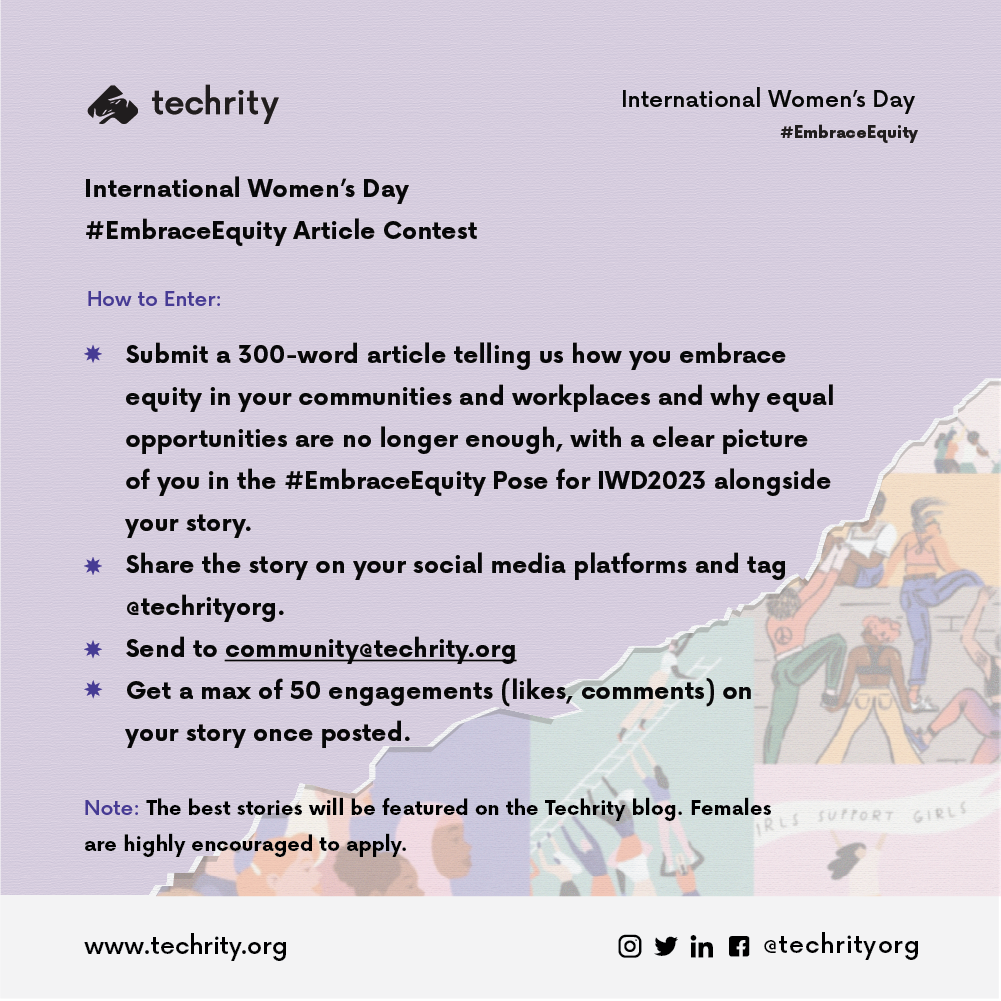
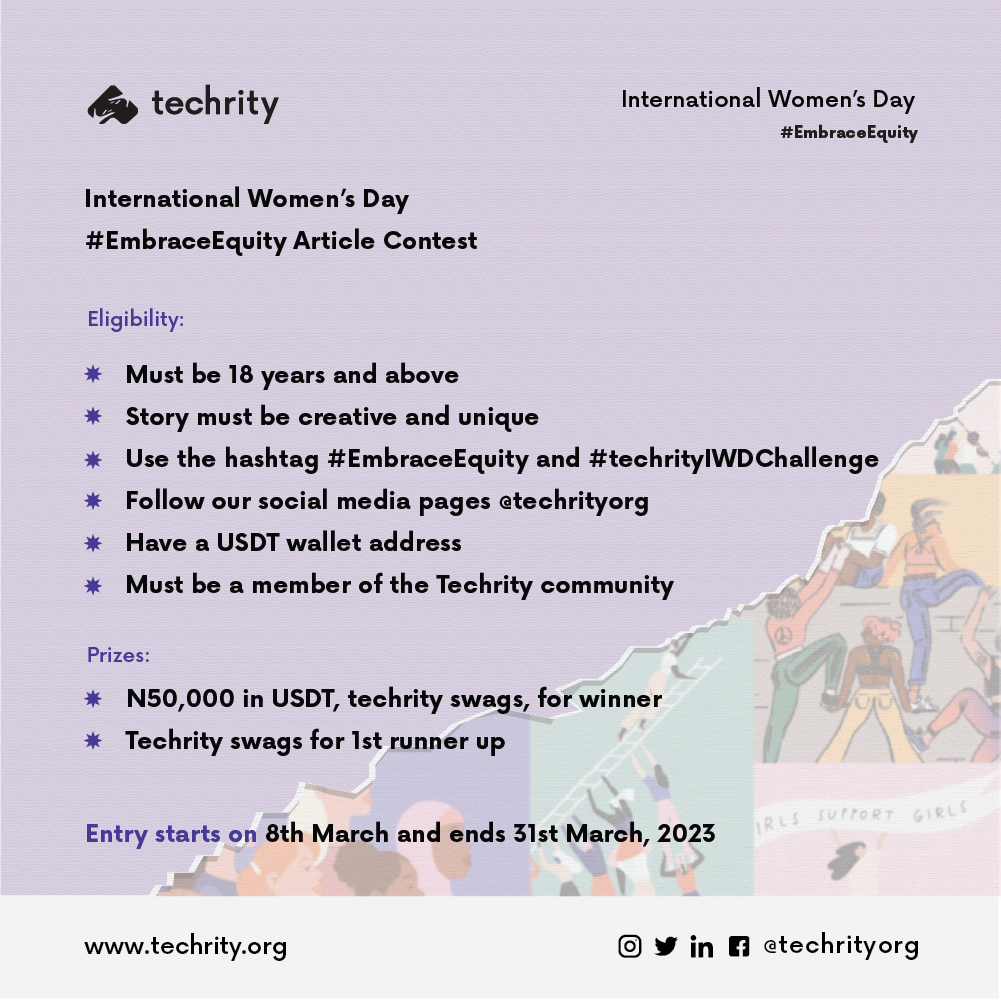
As part of the celebration of IWD2023, Techrity marked IWD by calling for an #EmbraceEquity Article Story Contest. The winner would go home with N50,000 in USDT and their story will be published on the Techrity Blog.

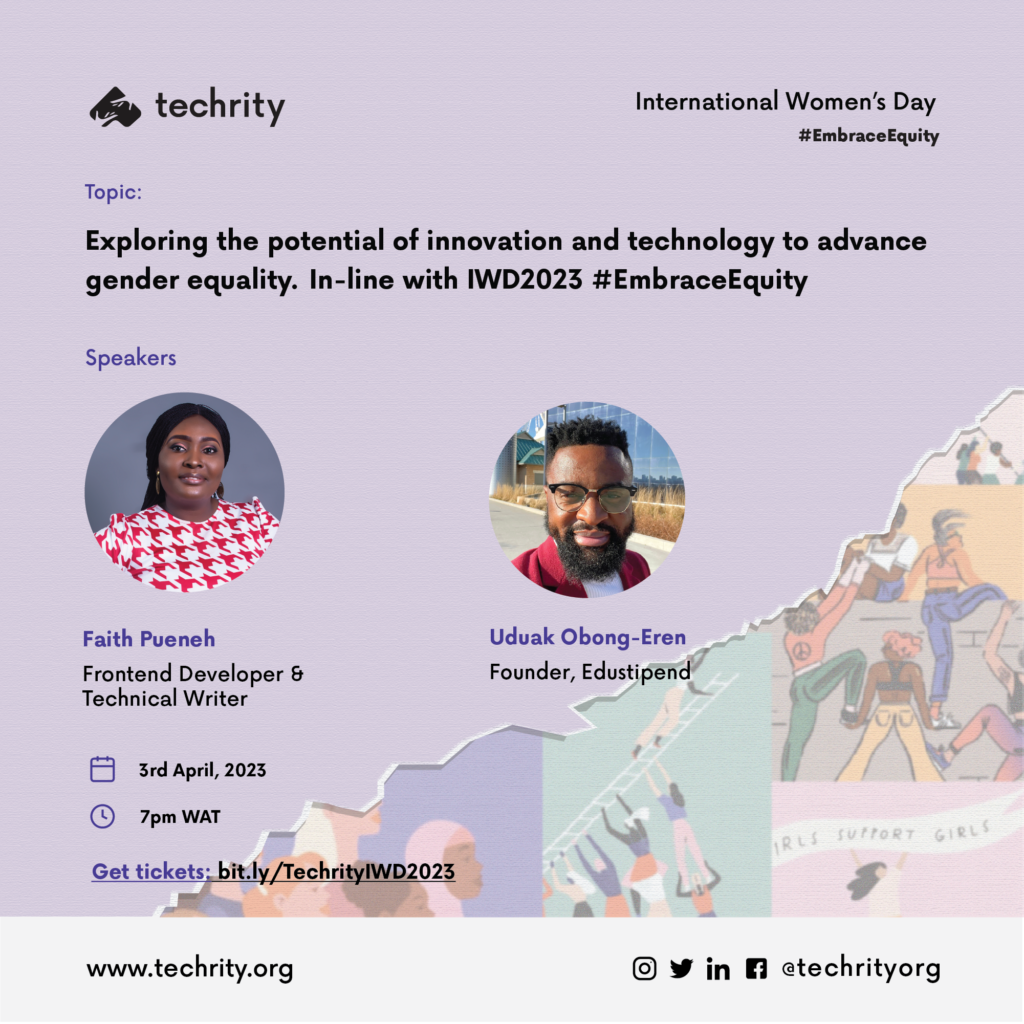
The capstone event held on the 3rd April 2023 on Twitter Space, with speakers; Faith Pueneh and Uduak Obong Eren. Listen to IWD2023 DigitALL: Innovation and Technology for Gender Equality recording.

Speaker for Techrity IWD2023 Event on Twitter Space

Glory Wejinya, a content writer and student at the Rivers State University emerged winner amongst 3 entries for the contest.

Here’s her story below;

Glory Wejinya explains in detail how she’s embracing equity in her community and workplace and why equal opportunities are no longer enough.

“Growing up in a community where women were mostly and still  referred to as a second option and the last choice, I became motivated to promote gender equity as a person. Although I have been unable to do as much as I intend to do, I have within my resources given my honest opinions on matters that affect women in rural communities and promote inclusivity.

To embrace equity means to embrace diversity, inclusion, and fairness. This involves creating a fair and just society where everyone has equal access to resources and opportunities.

Glory Wejinya

While equal opportunities are essential to achieving a fair and just society, having equal opportunities is not a direct solution to deeply rooted inequality and discrimination . This is mainly because not everyone can have equal access to these opportunities. Poverty and lack of access to quality education can greatly limit anyone’s ability to utilise the given opportunities.

Educating, training and equipping women to be ready to take up available roles is a great way to embrace equity in communities.

In 2022, I embraced equity via my contributions to the Domestic Violence Directory, 2022. Currently garnering over 100 downloads, this directory provides information for victims of domestic violence; identifying several domestic violence centres and responders in the 36 states of Nigeria.

Another way I am able to contribute my quota is by volunteering my time and expertise at Her Dream Initiative; a non-profit organisation that aims to empower girls and women all over the world; exposing females to numerous opportunities available to them, ranging from fellowships, and internships to scholarships. I do this through social media management as the publicity team lead of the organisation; lending my voice as a social media manager, creating content that fits the objectives and goals of the organisation, advocating women’s rights, and giving women their flowers”.

Want to reach out to Glory? Follow her on LinkedIn.

Thank you for reading!

Categories
Career advice Tech

Benefits of Working Remotely.

techrity_kickstart_image
techrity kickstart

The outbreak of the Coronavirus pandemic in 2020 necessitated a change in work structures around the world. This development led to a shift in organizational attention, to the immense potential of a system that could accommodate millions of people working independently from different locations to achieve organizational goals.

Remote Work – Brief History 

Remote workers did not just appear from anywhere. The practice of working from any location other than an office is as old as man and the internet.

History shows that the practice of working in offices and factories originated just after world war 1 – the industrial revolution, long after man had revolutionized the systems of trade and business.

Despite the increase in office culture over the years, remote jobs and the practice of remote work have remained relevant, co-existing side-by-side with office practice for the completion of unfinished tasks after work hours.

Remote working has always been an integral part of our work culture even though it hadn’t been given widespread acceptance as we now have it. From the usage of staff-only servers where information is passed from superior to subordinate; to online staff meetings and social media conferencing, in one way or another, we all have done remotely what ought to be done within the confines of an office.

This article discusses the advantages of working from home, as well as how working from home, can enhance global living standards. It goes on to explain how a “work from home” policy might help an organisation’s output.

Why Remote Work?

Working from home has the following advantages:

  • Improved Employee Productivity
  • Reduction in Operational Cost
  • Improved Market Penetration
  • High Staff Retention Ratio
  • Better Work-Life Balance

Improved Employee Productivity

An analysis of efficiency on remote work was carried out in March 2021 by Jose Maria Barrero of the autonomous Institute of Technology, Mexico, and Steven .J. Davis of Chicago booth. The statistical results showed that, as of March 2021, a year after the coronavirus pandemic, 60% of America’s working population worked remotely and were said to be more productive working from home.

Employees who work from home are generally more productive than those who add an office to their workspace. This is so because the freedom to establish their work hours allows employees to work when they are most productive, rather than the usual 9 to 5 hours.

Remote work eliminates the stress that comes with having to pick the right outfit for work, and most importantly, commuting. With an almost weightless gadget like a P.C (personal computer) and an internet connection, loads of work can quickly be done – a clear definition of Productivity.

“Remote work allows individuals to figure when they’re most relaxed and within the most efficient state of mind, leading to increased productivity”.

Reduced Operational Costs

Operational costs are the expenses that a company incurs in order to stay in business. Organisations invest a lot of money every year to keep their offices in good shape – from repairs to replacements to upgrades, keeping an office is pricey for what it is worth.

Working from home helps to keep these expenses to a bare minimum. Remote working focuses on worker output and work flexibility rather than amassing operational expenditures. Because these people work remotely and report online, it allows a firm to choose a more flexible headquarters that doesn’t have to be as large to suit a large number of employees.

Working from home saves money on rent and reduces the need for multiple branch offices across the country. It reduces business overhead costs like electricity tariffs and office building insurance. As a result, working remotely reduces unneeded costs from an organisation’s total revenue, increasing the amount of profit available at the end of the fiscal year.

Remote work focuses on worker production and job flexibility rather than operational expenditures“.

Improved Market Penetration

Simply said, market penetration refers to the level to which a company’s product offering is valued, purchased, and consumed by the local population.

Remember that working remotely allows a company to save money on operations. A lower operational cost corresponds to a lower manufacturing cost. With lower production costs, businesses can concentrate on producing high-quality goods and selling them at lower prices, making the product more appealing to the general public (Ceteris paribus and vis-à-vis, the lower the price, the higher the demand).

Working remotely also assists with market penetration through unconscious online marketing activities. Employees are sometimes unaware of the process, hence the term “unconscious.”

The frequent use of the internet to search, send, and receive data causes the internet to save certain keywords related to a company’s product offering, so that whenever a random user performs a search query using any of the keywords, the product offering is listed as one of the possible results, keeping the product in front of potential customers at all times. This is unintentional and so extremely cheap.

“With a lowered cost of production, businesses may specialise in producing quality items and selling for lower prices, making the merchandise more appealing within the broader market”.

Higher Employee Retention

Rapid employee turnover rate in an organisation reflects managerial incompetence and bad working conditions. Employees are more likely to stay with a company if they believe the company is committed to their personal development.

Working from home reduces the likelihood of employee turnover in the first two years of employment. This is because employees who work remotely have greater control of their time, feel more trusted and valued, enjoy their remuneration which does not have to get spent on commuting to long-distance offices, can share the workload through different time zones in the day, place more value on teammates and receive all the incentives they deserve at the right time- an effect of increased profit.

Remote workers are 13 per cent more likely than on-site workers to stay in their current jobs for the next five years or longer.

“Employees who work from home have more control over their time, feel more trusted and revered, and luxuriate in their salary because they’re not required to commute to long-distance workplaces”.

Better Work-Life Balance

One quotation that makes employees want to quit their jobs and start their own firm, which seems like achieving their ambitions, is “A pay-check is the bribe you get for choosing not to pursue your dreams.”

Working remotely allows you to make a paycheck while working for a business and pursuing your passions at the same time, dear employee. Working from home allows you to spend more time with your family while still being able to attend work on a daily basis.

With remote employment, a father no longer has to miss his son’s basketball game due to a long work day, and a mother no longer has to miss her daughter’s eighteenth birthday due to an important business trip. Remote work engenders profitability and happiness, a clear win-win situation.

“Working remotely, dear employee, allows you to earn a paycheck while working for an organisation and pursuing your dream at an equivalent time.

Remote Work and The Nigerian Transport Dilemma 

Nigerians who don’t own cars understand that jumping from shuttle to shuttle while trying to make your way to work every morning is enough reason to have a bad day.

Chances are that, when you finally make it to the office after surviving the many dramas that come with public transportation, you are already demotivated and not as productive as you ought to be.

Like this wasn’t enough, there is now the trouble of a galloping cost of transportation. It is funny how the cost of public transportation is almost equivalent to half your paycheck at the end of the month.

But these can be averted simply by changing work structures that enable employees conveniently sit in their primary location, yet deliver as much work as they’d normally do in the office – Remote Working

Conclusion

The benefits of working remotely far outweigh its disadvantages. The prevalence of the internet and breakthroughs in communication technology have added to the advantages of remote work.

Every business in the 21st century is beginning to not only go digital but work remotely. Remote work is no longer a pipe dream; it is now a reality that we must accept.

Subscribe to our newsletter to discover more about remote working and how it’s altering the narrative in corporate structures.

We’d also want to hear from you in the comments.

Categories
General Tech For Good Techrity Programmes Volunteers Writers

Tech for Good 2022

Showcasing Tech Innovations for Social Good in Africa

The Tech for Good (T4G) is an annual conference that aims to showcase the impact of using Technology for Social Good in Africa.

The second edition of the just concluded Tech for Good conference was held on the 29th of October 2022 at the Rivers State ICT, Techcreek.

Purpose of Tech for Good

There is a lot of negative information being spread out there concerning Tech and its use in Africa. We created Tech for Good to solve this problem.

To understand more about the purpose of the Tech for Good conference, check out the first edition – Tech for Good 2021.

Highlights from the event

Tech for Good 2.0 was so loaded and full of impact, reporting over 250 persons in attendance, 5 speakers, 6 Social impact orgs, and over 20 people including organizations and startups awarded during the Tech for Good Awards.

Speaker Lineup

This year’s conference featured some seasoned speakers, such as;

  • Mr. Bruce Lucas – Founder and CEO of Olotusquare spoke on “The Journey so Far: Social Impact, Challenges of Tech in Africa”.
  • Davio White, a brand and product designer spoke on Designing for Social Impact
  • Umasoye Igwe, a creative writer and advocate for indigenous languages spoke on “How Tech is revolutionizing indigenous languages for Africans”
  • Sokaribo Senibo, a Software Developer spoke on “Leveraging Tech for Good: Veritable Use cases”
  • Tosin Emmanuel, founder of Blockchain Uniport spoke on “Blockchain Technology as a medium for Social impact in Africa”

Social Impact Project Showcase

The social impact project showcase aims to showcase projects and products built for social good in Africa.

Social impact projects like InformHER, was present to showcase their projects and products

  • InformHer

InformHer helps to empower young girls with the information needed to make decisions about their bodies and sex-related issues while making sure that they embrace their femininity

You can follow @helixgade on Social media to learn more.

Social Impact Orgs

Organizations and companies working tirelessly to ensure the vision of building Tech for Good were not left out, these organizations were invited to tell their Social Impact Story. The aim is to showcase the works of these companies and organizations in Tech.

Some organizations present include:

  • Accelerate Hub

Accelerate Innovation Hub is a technology incubation hub that focuses on facilitating student development in the area of technology and tech entrepreneurship. We aim to create a community that prompts collaboration, ideation, innovation, and synergy for student tech enthusiasts. 

You can follow @acceleratehubng on Social media or visit their website: http://acceleratehub.co/ 

Accelerate Hub – WInner of Social Impact Organization (Non profit) 2022 receiving its award
  • Code Ambassadors

Code Ambassadors Lab is an EdTech Start-up that inspires and equips children between the ages of 5-17 with tech(coding, robotics, Artificial intelligence, etc.), problem-solving, and critical thinking skills. We have trained over 3000 children and are partnered with over 10 organizations and schools within four years. 

The vision is to raise young tech founders in Africa who will leverage technology to solve problems.

You can follow @codeambassadors on Social media or visit their website: https://codeambassadors.org/

  • Technoville NG

Technoville innovation Nigeria is a leading technology organization aimed at social impact and innovative technology solutions. With a vision to “Ignite Curiosity”, it is committed to providing an environment where technology and innovative skills are attainable and curiosity is applauded.

Technoville was founded in 2018, by passionate young people who believe that technology can transform individuals and nations.

You can follow @technovillehq on Social media or visit their website: https://technovillehq.com/

Technoville Nigeria Team
  • Extend Africa

Extend Africa is a community for the immersive tech ecosystem in Africa.

We believe that with this platform, we can strategically project the works of extended reality creators in Africa to the world. We are also certain that through this platform, more people will find use cases of extended reality in ways that will immensely improve their lives.

You can follow @extendafrica on Social media or visit their website: https://extend.africa/

Gospel Ononwi – founder of Extend Africa
  • Blockchain Uniport

Blockchain Uniport is committed to bridging the gap between the student community and their knowledge of Cryptocurrencies and Blockchain Technology in general.

We are determined to build a community force of well-informed students who are equipped for the future of technology.

You can follow @blockchainuniport on Social media.

Tosin Emmanuel – Founder of Blockchain Uniport

Panel Session

The panel session brought together techies doing social impact work to tell their Tech for Good story;

Panelist session – Joy Nwaiwu, Wisdom Nwokocha, Philip Atimor, Godwin Jimmy, Somkene Mamah, Sokaribo Senibo, Solomon Eseme, Smith Nwokocha

Tech for Good Awards

The Tech for Good Social Impact Awards honors individuals, startups, non-profits, and volunteers who use their platforms to better their community and the global community at large

The following is the list of the awardees and nominees for the Tech for Good social impact awards.

Social Impact Icon 2022 (Green Category)

  • Louis Whyte Jonah – Accelerate Hub (nominated)
  • Wisdom Nwokocha – Mentorship (A)
  • Pepple Richard – Technoville (Award)
  • Godwin Jimmy Akpabio – Accelerate Hub, NFTikets (Award)
  • Philip Chukwunonso Obiorah – Co Lead, GDG Cloud, Port Harcourt (Award)
  • Faith Pueneh – Mentorship (nominated)

Social Impact Icon 2022 (Veteran Category)

  • Bruce Lucas – Olotu Square (Award winner)
  • Gino Osahon – GDG Cloud PH (Award winner)

Social Impact (Non-Profit)

  • Accelerate Hub (Award winner)
  • Code Ambassadors (nominated)
  • Harvoxx Tech Hub (nominated)

Startup for Good

  • Mently (Award winner)
  • NFTikets (Award winner)
  • Dantown (Award winner)
  • Bankable Wisdom(nominated)
  • Acend (nominated)

Volunteer of the year awards

  • Jennifer Etegbeke
  • Temitayo Alebiosu
  • Faith Agugoesi
  • Caleb Duff

Our Star Girl

Deborah Folorunsho, a student and member of Code Ambassadors showcased her project at this year’s Tech for Good conference. 

Deborah is a 14-year-old girl who built an app to help addicts recover from their addictions.

She was also featured on Guardian news recently in an article where she talked about her project in detail.

You can read more about her solution on the Guardian News.

Important Links

For more inquiries about the Tech for Good conference, send us a Hi to hello@techrity.org

Thanks for reading!!