
Categories
Career advice Getting started How-Tos Tech

How to Get Your Next Job With The Opportunity Board

2025 is a year to make more money, buy a dream gadget, and finally go on that one trip you’ve been planning since 2020. A high income skill and great talent can position you for some of the best opportunities in the world, no matter your location. 

So how do you get that next job? Techrity’s latest rollout feature, the Opportunity Board is designed to connect talent to opportunities. Endless opportunities are waiting to be explored and converted to desired high income jobs. But first, how do you leverage this opportunity? This article has all you need to get started so keep reading. 

What is the Techrity Opportunity Board?

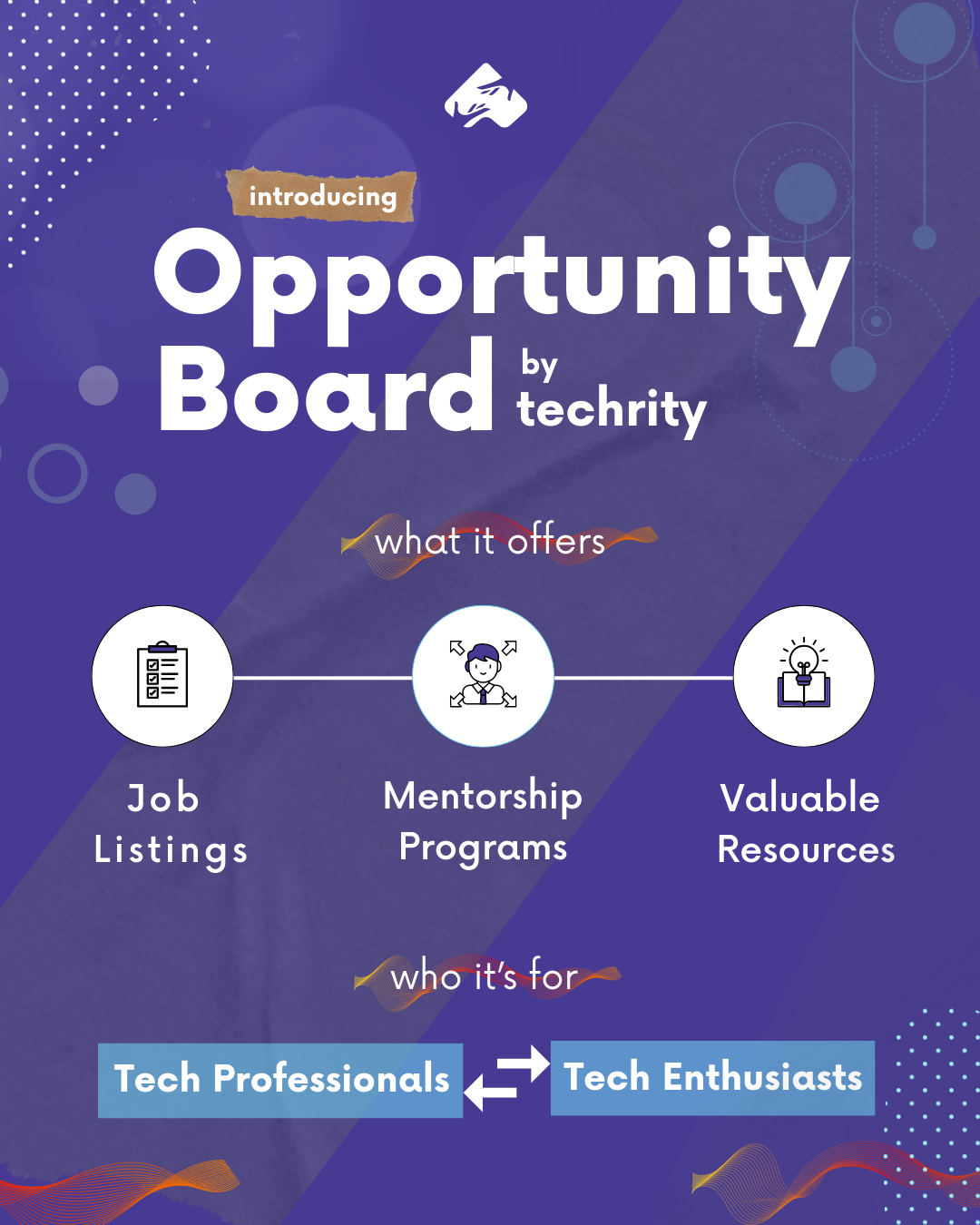
For techies, the dynamic job market in 2025 is not without its struggles and challenges. The Techrity Opportunity Board (TOB) is an avenue for tech professionals and employers sourcing talents to meet, get job listings, mentorship programs, and resources. 

Are you after the next best opportunity in your career or are a newbie looking for data support, productivity tools, and laptop support? The TOB is designed to empower you and thousands more young talented African remote and hybrid talents.

You will get access to these productivity tools, and the TOB will also offer consistent and helpful tips that will allow you to make informed career choices. Here is a breakdown of the resources the Techrity Opportunity Board offers:

Job Openings

The Opportunity Board displays job listings from companies of all sizes and industries looking to hire African talents and workers. The job listing displays the following information:

  • Name of role
  • Level of experience 
  • Name of the company hiring
  • Remote, on-site, or hybrid
  • Full-time or part-time

Aside from opportunities for full-time roles, there are also listings for internship positions offering compensation and even senior management roles.

Internship and Graduate Trainee Opportunities

Newbies don’t always get access to opportunities because of the bias towards experienced candidates. Internships and trainee programmes are one way to secure much needed experience on the job and learn from some of the best minds. This tab features paid and unpaid calls for interns from companies seeking African tech talents that can go onto permanent roles.

Laptop and Data Support

Economic challenges can affect the connectivity and consistency of tech enthusiasts at any level of their career pursuit. Initiatives like our One Techie One Laptop campaign and data support are geared towards eliminating constraints that hinder consistent training and learning. In addition to that, the Opportunity Board displays information about applying for unlimited access to laptops, grants, and data support from several organizations specifically targeted at African professionals.

Mentorship and Training Programs

Uk Black Tech via Unsplash

With the existence of skill gaps, certain programs are designed to offer solid mentorship programmes and training to eliminate such gaps. Through the Opportunity Board, Techrity partners with leading technical professionals, educational institutions, and tech companies. This partnership is built to offer guided mentorship training programs, workshops, and certifications that equip individuals with high-income skills that the market needs.

Who Can Use the Opportunity Board?

The primary goal of the Opportunity Board is to connect tech job seekers with openings in various levels of experience and industry. There is also the chance for beginners and newbies from disadvantaged backgrounds to get a laptop or data support.

The first criterion to access TOB is to be a tech-inclined company or professional. The opportunity seeker has to be of African descent or nationality. As a rule of thumb, here are a few individuals we are hoping can take advantage of the TOB: 

  • African tech companies looking to hire the best tech talents in Africa
  • African tech talents looking to practice their skills in a reputable startup through an internship
  • African tech professionals looking for a digital work tool support to enable them to compete equally.
  • Techies looking to compete globally from Africa
  • Motivated and enthusiastic tech talents that do not have access to data to continue learning and mastering a tech skill

Benefits of the Opportunity Board

Career Guides

With the career guides section, the Opportunity Board provides free, reliable insight and knowledge about the different available tech roles. For example, a newbie might confuse the roles of product designer and product manager. But with the career guides, a clear distinction will be made, highlighting the must-have skills each role requires and the possible career paths.

Company Reviews

Gone are the days when recruitment was a one-sided affair. Nowadays, companies are subjected to as much scrutiny as job seekers and potential employees. Talents want to know how the company’s alignment with their values and its financial health. 

More than ever, they need to know the opportunities for professional and personal growth, and the opportunity for work-life balance. This company review section will provide necessary insights into company culture and worker experiences. 

Salary Benchmarks

Knowing what a job offer pays is great, but how does it match up to your expectations and your true market value? A lot of job seekers do not understand how to negotiate for a fair remuneration and get exploited in the recruitment process. But with the salary benchmarks, we can help talents understand their market value and negotiate fair compensation. There are also written resources on how to crack job interviews to get the best deal. 

How to Get Desired Jobs & Support from Techrity’s Opportunity Board

If you find yourself on the Techrity Opportunity Board as a talent seeking work, know that there are several opportunities you can explore. But first things first, how do you get the desired jobs and support you require?

On the Opportunities Board, you can filter your search by role, mode, work type, or opportunity type. Next you can click the [apply filter] button to search for opportunities that offer one or more of these keywords. 

You can also search for some of the most recently posted jobs to see if you are fit. This option displays the jobs and their location. When you click on individual opportunities, you get to see more job details about the listing like the salary range, responsibilities, requirements, application instructions, and application deadline.

Clicking on the [Apply for this position] button will take you to the Propel page where you can access the application form and further instructions from the hiring managers. If you don’t already have an account to log in, you will be prompted to sign up for Propel.

Conclusion

Techrity is focused on inclusion and charity in the tech space. The Techrity Opportunity Board is on its way to make sure it stays true to its vision. Thanks to this new addition, talents from all over Nigeria and Africa can get connected to unseen opportunities from all over the world.

And employers looking for these talents have the rare chance to pick from a pool of highly talented and motivated individuals ready to be changemakers!
Categories
How-Tos Tech

How Techrity is Building Africa’s Tech Workforce with The Opportunity Board

Introduction

The African tech space is leading in the global digital revolution, with the largest youth population brimming with potential. This agile, young, and creative population is poised with problem-solving skills, motivation, and the ability to compete on a global scale

What This Means for Africa and The Tech Space

According to Statista, over 28 million jobs in Nigeria and 17 million in Kenya will require digital skills by 2030. The number of jobs requiring digital skills in Africa is expected to grow exponentially annually, with a high demand for skilled, vibrant, and motivated tech talent.

Africa is rightly positioned to take advantage of the current shortfall in the global tech workforce. This is due to a report from the World Economic Forum (WEF) in 2017, which stated that Sub-Saharan Africa is the world’s youngest region. By 2030, the continent’s working-age population is set to increase by two-thirds, from 370 million adults in 2010 to over 600 million in 2030.

Yet a significant gap persists between the skills available, access to work tools, opportunities, and demands of the rapidly evolving digital economy.

The Growing Problem

Sub-Saharan Africa has the world’s second-largest youth population after Asia. With more than 60% of its population under the age of 25, Sub-Saharan Africa is already the world’s youngest region today – and, by 2030 more than one-quarter of the world’s total under-25 population.

However, skilled professionals in the tech industry struggle to connect their skills to available opportunities. Many struggle with unreliable job postings and limited access to opportunities, such as a lack of data and a laptop, to help them on their career journey.

This is a far cry for a continent that currently has 13% of the world’s working-age population, which is set to increase rapidly to more than 17% by 2030.

A New Dawn for African Tech Professionals

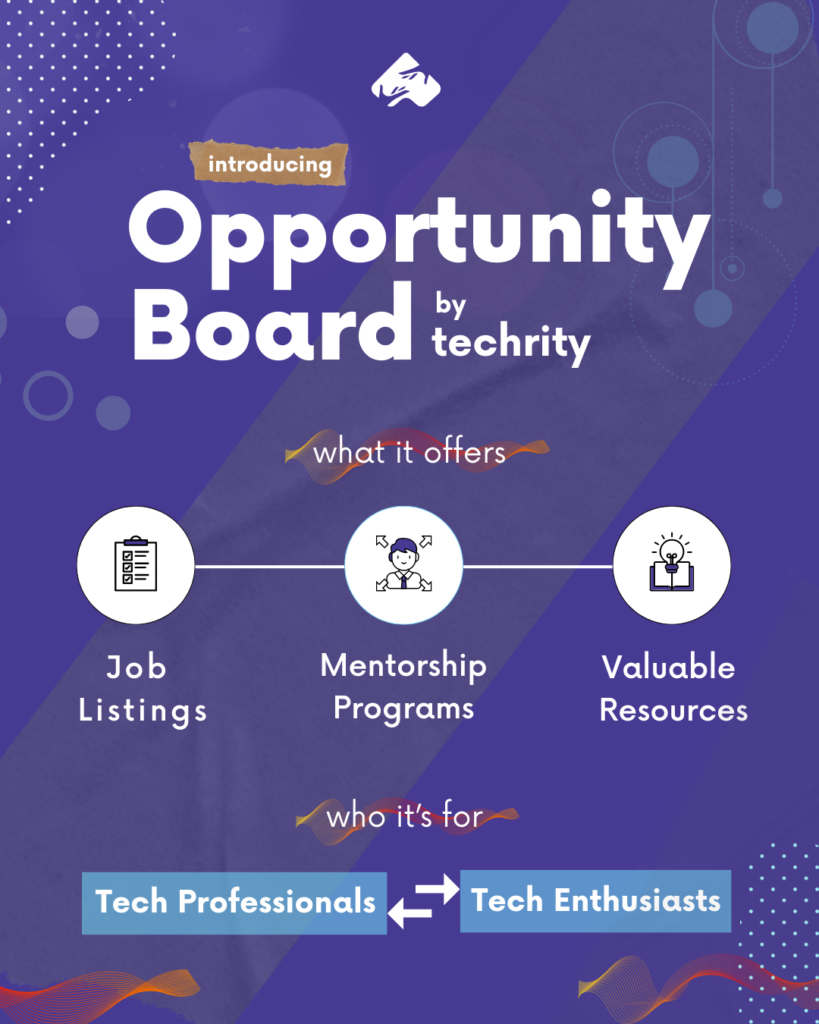
Techrity is stepping up to provide a bold and innovative solution; the Opportunity Board is a platform designed to connect aspiring African professionals with the resources and openings they need to amplify their hard work and talent.

The Opportunity Board will be more than just a job board; it is a home for techies like you and the next generation of professionals to gain access to everything they need to get a job, learn a new tech skill, get data support to enter the tech space, master a tech skill, and digital tools to aid their work.

Connecting Talents with Opportunities

At its core, the Opportunity Board is a vital link between African talent and the global marketplace. It curates a diverse range of opportunities, including:

Job Openings

The board features listings from companies across various tech sectors actively seeking African talent, from entry-level positions to senior management roles.

Internships

Recognizing the importance of practical experience, the platform highlights internship programs that allow students and recent graduates to gain valuable on-the-job training.

Mentorship and Training Programs

To address skills gaps, Techrity partners with leading technical professionals, educational institutions and tech companies to offer guided mentorship training programs, workshops, and certifications that equip individuals with in-demand skills.

Laptop and Data Support

Financial and connectivity constraints can often hinder further learning and training for tech enthusiasts in Africa. The Opportunities Board provides information on how to apply for unlimited access to laptops, grants, and data support from several organizations specifically targeted at African professionals.

Volunteer Opportunities

Get real-world experiences to master your skills with many listings and volunteer opportunities from credible tech companies. These opportunities allow individuals to give back to their communities and make a meaningful impact in the tech space.

Who is This Platform For?

  • Techies looking to compete globally from Africa
  • Motivated and enthusiastic tech talents that do not have access to data to continue learning and mastering a tech skill
  • African tech companies looking to hire the best tech talents in Africa
  • African tech talents looking to practice their skills in a reputable startup through an internship
  • African tech professionals looking for digital work tool support to enable them compete equally.

Empowering You for The Future You Deserve

Beyond simply listing opportunities, Techrity aims to empower individuals with all they need to make informed career decisions. The opportunity board also offers resources such as:

Career Guides

Providing insights into different tech roles, required skills, and career paths.

Salary Benchmarks

Helping individuals understand their market value and negotiate fair compensation.

Company Reviews

Offering insights into company culture and employee experiences

Conclusion

Techrity’s Opportunity Board is transforming tech hiring in Africa by addressing the core challenges faced by job seekers, tech enthusiasts and employers. The platform creates a more efficient and inclusive job market by connecting talents to unseen opportunities and facilitating global job access.

Whether you’re a tech professional seeking your next opportunity, need data support, workplace tools for productivity, or an employer looking for top-tier talent, Techrity’s Opportunity Board is the ideal solution.

It’s a platform to watch and that holds immense promise for unlocking the continent’s vast potential.

Categories
Career advice How-Tos Team Management

How Remote Workers Are Staying Motivated During the Holidays

Christmas, Easter, Salah, National Days, no matter the one, the holiday season can be challenging for freelancers who need to stay productive while the world takes a break. If you are a newbie freelancer experiencing the holiday season for the first time, it can all be overwhelming.

While some established freelancers might have the luxury or freedom to take days off during the holidays, others might not. Imagine having to deal with tasks on Christmas Eve while your family is two rooms away laughing over Home Alone 2 (that is a Christmas classic; no one should be missing that!). 

So how do you, as a remote worker, stay motivated during these festive periods, complete tasks, and still manage to celebrate? This article bares all the tricks to escape “vacation mode.”

First Things First, Should I Be Working During Holidays?

The holiday period allows remote workers to spend more time with family, travel, or focus on that hobby they’ve been ignoring all year. Most freelancers make enough to turn down jobs during this busy time of the year. 

However, people new to their respective niches or industries might not have that luxury. The holiday period presents an opportunity for some to earn extra cash heading into the new year.  

Remember that flexibility is one of the reasons people work remotely. People who work from home can go grocery shopping in between checking off tasks from their holiday jobs. But this has big implications. 

It sometimes encroaches on the work-life balance, and if your client is in a different time zone or simply impatient, you might have a harder time than most. But it is perfectly normal to work during the holidays if you can manage to do so and still keep up with the festivities.

Six Ways To Self-Motivate During the Holidays

Image from Unsplash

For the most part, the holiday spirit and desire to lay in bed all day sets in. You stare at blank screens where codes should be. In the worst-case scenario, instead of feeling the Christmas spirit, you get Christmas blues. How can you stay on top of your goals and complete your tasks? 

1. Redecorate Your Workspace

Holiday decorations add to the feel of the season and the celebration. Most of the time, they kindle joy and happiness for the spirited. Imagine the dopamine rush you could get just by staring at that winter wonderland snow globe. If candles, lights, and paper ornaments are more your style, please use them around your office or directly on your desk. The goal is to add elements of the holiday season that trigger happy thoughts and feelings, keeping you enthusiastic in your home office.

2. Set Up Holiday Schedule

Tis the season of good cheer, but ’tis also the season of busy schedules and, sometimes, marketing budget cuts. If you seek career or business growth during the holidays or are new to remote work, you desperately need a holiday schedule. While this might seem out of character for the traditional nature of what freelance workers are used to, it will do you a world of good. For one, it will help you find that work-life balance and avoid “desk-rotting.” Here are a few tips to set up that EOTY holiday schedule:

  • Prioritize tasks
  • Organize according to deadlines and difficulty
  • Take meal breaks, chore breaks, and family time 
  • Use panner tools

3. Reward Your Milestones and Progress

The concept of self-reward might seem a little difficult for most people but it is a great way to stay highly motivated during the holidays. You are never going to run short of distractions during festive seasons. Even if you live alone, you still need to make visits, jump on personal calls, receive visitors, or make a snack. 

You could factor in walks, snacky treats, half an hour of leisure, or a warm bath as rewards for progress recorded on your tasks. This not only motivates you to do so much more, it also helps you to complete it in record time. You look forward to the next tasks and earn the reward it brings.

4. Open Communication With Clients

Image from Unsplash

It’s easy to get sidetracked and lost in the festivities, and you forget how serious certain projects on your desk are. Keeping an open communication allows for effective two-way conversations during this season concerning assigned tasks. But it makes sense first to communicate the extent of your availability and how frequently they can reach out. This helps all parties involved set and understand clear boundaries but remain flexible.

5. Don’t Ignore Sleep

You cannot expect to maintain high levels of motivation if you are not well-rested. What better time of the year to do so than on the holidays? Sleep is a form of self-care, but it does more than eliminate fatigue. It clears the mind and resets your stress levels. If you don’t get enough sleep during the day because of your work schedule, then night’s rest must be unnegotiable. 

If you are struggling with committing to hours of needed rest, remember that in the long run, this could affect your productivity and concentration. While your busy schedule might not allow you to sleep over long hours, you can keep a regular sleeping and waking schedule. Most freelancers say they make out time for afternoon siestas if they stare at the screen too much.

6. Give Yourself Much-needed Breaks

All work and no play certainly makes Jack a dull freelancer. And all the endless notifications, emails, and irregular distractions can hamper your motivation and productivity. This is why you must give yourself breaks between tasks when you run out of creative juices. 

If you require technology-free timeouts, go for fresh air, meditate a little, or read a few chapters of your current reading list. Taking several short breaks over the day aims to boost your creativity levels and clear your clogged mind.

Conclusion

We are all about surviving these busy schedules while remaining adaptable and flexible. But you need your motivation levels to beat the top and your well-being. With these few tricks and tips, you can stay ahead of your schedules and tasks as you look forward to the new year. Got any more tips for how you are staying motivated these holidays? Share them below!

If you are feeling demotivated this holiday season, join our community at Techrity, where tech and dev professionals work from home and share their experiences.

Categories
General How-Tos Software Tech

Creating Custom React Hooks – Oyinkansola Odunsi

If you’re not new to React, you probably know about or have used hooks like useState and useEffect before. However, do you know that you can create your own hook? Yes, you heard that right! And this is what this article is about. 

Also, if you’re a newbie to JavaScript library, I’ve got you covered! I’ll bring you up to speed on the existing React hooks, and help you understand how to create yours. Let’s dive right in.

WHAT ARE REACT HOOKS?

The React library is commonly used because it’s easy to handle. One of this library’s excellent functionalities is React hooks. In simple terms, React hooks are JavaScript functions that allow you to access state and other React features without writing a class. 

These functions can also used to isolate the reusable parts of functional components. Additionally, they are identified by the word use, followed by the superpowers they possess like DebugValue, Effect, Callback, and LayoutEffect

THE EXISTING REACT HOOKS

The latest React version (version 18) has 15 built-in hooks that you can use. The most commonly used hooks are useState, useEffect, and useContext. Here is a list and a summary of all the existing React hooks:

  1. useCallback: Returns a memoized (stored to avoid repeated computation) callback function so that the child component that depends on the function will not re-render unnecessarily. The function will only be recreated if one of its dependencies changes.  
  2. useContext: After creating a context, useContext allows you to use a value in the context further down in your functional components. So, you don’t have to manually pass props down your component tree. 
  3. useDebugValue: Helps you label the output of your custom hooks so you can easily understand their state and monitor their behaviour in React DevTools.
  4. useDeferredValue: Useful for prioritizing the responsiveness of your user interface by deferring long-running operations that might affect the performance of your application.
  5. useEffect: This hook handles side effects in your functional components. Side effects include fetching data, setting up event listeners, and DOM manipulation. 
  6. useId: Helps you generate unique IDs across your React application.
  7. useImperativeHandle: Allows you to specify the properties of a component that should be exposed when using refs.
  8. useInsertionEffect: This makes it easy for you to execute a function after a component has been added to the DOM.
  9. useLayoutEffect: It works similarly to useEffect, but it’s synchronous. You can use it to make changes on your DOM immediately when it’s updated, and before the browser displays content on a user’s screen. 
  10. useMemo: It is used to memoize the result of expensive computations to avoid unnecessary recalculations.
  11. useReducer: Instead of using useState you can use useReducer to handle more complex state logic within a functional component.
  12. useRef: Helps you create mutable references that you can access across multiple renders of a functional component. 
  13. useState: Allows you to manage the state within a functional component.
  14. useSyncExternalStore: This hook allows you to read and subscribe to an external data store.
  15. useTransition: Helps you manage asynchronous updates to a React application’s UI.

WHY DO WE NEED CUSTOM HOOKS?

Don’t get me wrong, this article is not to say that the in-build React hooks are not sufficient. React has all these powerful hooks that will serve you well. Nonetheless, I can’t deny the reality that custom hooks can greatly improve the readability and overall quality of your code.

Let’s open up this fact a little bit by highlighting why you might need a custom hook:

  • It makes logic reusable.
  • It allows you to use other hooks provided by React.
  • You can easily separate your logic from your UI.
  • You can break down complex stateful logic into simple chunks of code that are easy to maintain.
  • You can test specific parts of your stateful logic because custom hooks can be debugged in isolation.

TIPS FOR CREATING CUSTOM REACT HOOKS

Here are some tips to keep in mind to ensure your custom hooks are flexible, reusable, and easy to understand.

  • Follow the naming convention by starting with use.
  • Repeated/reusable logic within your components should be your custom hooks candidates.
  • Feel free to use the built-in React hooks where necessary.
  • Make sure a hook is focused on one responsibility instead of multiple functions.
  • Your hooks should have value or functions that components can use.
  • Ensure your hooks can accept parameters so you can easily customize their behaviour.
  • Test your hooks in different scenarios to ensure they are performing as expected. You can use tools like Jest and/or the React Testing Library.
  • Document your hook and succinctly explain its function.

CREATING YOUR FIRST CUSTOM HOOK

Step 1: Define Your Hook

Let’s create a custom React hook that would allow our application toggle between light and dark mode (our reusable logic). To begin, we create a JavaScript file to define our hook.

import { useState, useEffect } from 'react';
function useDarkMode() {
  const [isDarkMode, setIsDarkMode] = useState(false);
  useEffect(() => {
    const body = document.body;
    if (isDarkMode) {
      body.classList.add('dark-mode');
    } else {
      body.classList.remove('dark-mode');
    }
  }, [isDarkMode]);
const toggleDarkMode = () => {
    setIsDarkMode(prevMode => !prevMode);
  };
  return [isDarkMode, toggleDarkMode]:
}
export default useDarkMode;

Step 2: Use Your Custom Hook

Now, we can use our custom hook in our React component.

import React from 'react';
import useDarkMode from './useDarkMode';
function App() {
  const [isDarkMode, toggleDarkMode] = useDarkMode();
  return (
    <div className="App">
      <button onClick={toggleDarkMode}>
        Toggle Dark Mode
      </button>
      <div className={isDarkMode ? 'dark-mode' : 'light-mode'}>
        {isDarkMode ? 'Dark Mode' : 'Light Mode'}
      </div>
    </div>
  );
}
export default App;

Step 3: Test Your Hook

To carry out the test, you’ll have to install the Jest and the React Testing Library using:

npm install --save-dev @testing-library/react @testing-library/jest-dom jest

Then, we’ll create a test file for our custom hook. Let’s call it useDarkMode.test.js.

We’ll proceed to use the renderHook and act utilities in our React Testing Library to test our hook.

import { renderHook, act } from '@testing-library/react-hooks';
import useDarkMode from './useDarkMode';


describe('useDarkMode', () => {
  test('should toggle dark mode correctly', () => {
    const { result } = renderHook(() => useDarkMode());
    // Initial state should be light mode (isDarkMode: false)
    expect(result.current[0]).toBe(false);
    expect(document.body.classList.contains('dark-mode')).toBe(false);
    // Toggle to dark mode
    act(() => {
      result.current[1](); // toggleDarkMode
    });
    expect(result.current[0]).toBe(true);
    expect(document.body.classList.contains('dark-mode')).toBe(true);
    // Toggle back to light mode
    act(() => {
      result.current[1](); // toggleDarkMode
    });
    expect(result.current[0]).toBe(false);
    expect(document.body.classList.contains('dark-mode')).toBe(false);
  });
});

Next, add Jest to your package.json file as follows, then run npm test to confirm that the useDarkMode hook is running as expected:

"scripts": {
  "test": "jest"
}

Step 4: Document Your Custom Hook

Document how your custom hook works and include details like its parameters and return values.

CREATING A DATA FETCHING CUSTOM HOOK

Now that you have an idea of how to create a custom React hook, let’s build another common custom hook (a data fetching hook) to further reinforce our knowledge. Shall we?

Step 1: Create the hook.

We’ll call it useFetch.js. This custom hook is commonly used to allow several components to fetch data from an API.

import { useState, useEffect } from 'react';


function useFetch(url) {
  const [data, setData] = useState(null);
  const [loading, setLoading] = useState(true);
  const [error, setError] = useState(null);


  useEffect(() => {
    const fetchData = async () => {
      setLoading(true);
      try {
        const response = await fetch(url);
        if (!response.ok) {
          throw new Error('Network response was not ok');
        }
        const data = await response.json();
        setData(data);
      } catch (error) {
        setError(error);
  } finally {
        setLoading(false);
      }
    };
    fetchData();
  }, [url]);


  return { data, loading, error };
}
export default useFetch;

Step 2: Use your new hook in a component.

import React from 'react';
import useFetch from './useFetch';
function App() {
  const { data, loading, error } = useFetch('https://api.google.com/data');
  if (loading) return <div>Loading...</div>;
  if (error) return <div>Error: {error.message}</div>;
  return (
    <div>
      <h1>Data:</h1>
      <pre>{JSON.stringify(data, null, 2)}</pre>
    </div>
  );
}
export default App;

Step 3: Test and document your custom hook.

import { renderHook } from '@testing-library/react-hooks';
import useFetch from './useFetch';
// Mock the fetch function
global.fetch = jest.fn(() =>
  Promise.resolve({
    ok: true,
    json: () => Promise.resolve({ data: 'mocked data' }),
  })
);
describe('useFetch', () => {
  afterEach(() => {
    fetch.mockClear();
  });
  it('should return data after fetch', async () => {
    const { result, waitForNextUpdate } = renderHook(() => useFetch('https://api.example.com/data'));
    expect(result.current.loading).toBe(true);
    await waitForNextUpdate();
    expect(result.current.loading).toBe(false);
    expect(result.current.data).toEqual({ data: 'mocked data' });
    expect(result.current.error).toBe(null);
  });
  it('should return an error if fetch fails', async () => {
    fetch.mockImplementationOnce(() =>
      Promise.reject(new Error('Fetch failed'))
    );
    const { result, waitForNextUpdate } = renderHook(() => useFetch('https://api.example.com/data'));
    await waitForNextUpdate();
    expect(result.current.loading).toBe(false);
    expect(result.current.error).toBe('Fetch failed');
    expect(result.current.data).toBe(null);
  });
});

GET STARTED TODAY

By leveraging the power of custom hooks, you’ll be able to write simple,  maintainable and readable codes. And trust me, once you get started, you are locked in by the ease these functions bring to your programming journey.

Categories
Best practices General How-Tos

Open-source Contribution Guidelines

One of the easiest ways to convince recruiters to hire you is by showcasing a rich portfolio containing, at least, one open-source contribution project. For entry and junior developers (and maybe senior developers), this is not open for debate as the benefits of contributing to open-source projects are immense. Not only does contributing to open-source projects broaden your experience and skills, but it also provides an orifice of exposure to industry-standard tools and practices.

So, how do you get started?

FIND A PROJECT

The first step is to find an open-source project that interests you. You can start by exploring platforms like GitHub, GitLab, or Bitbucket. These platforms host millions of open-source projects of technologies and domains. Look for projects with a clear and active community, as this will make it easier to get started and receive support.

To find the right project, consider browsing trending repositories or searching for projects based on your interests. Many platforms offer tags or categories that can help you narrow down your search.

For example, if you’re interested in web development, you might search for projects tagged with “JavaScript” or “React.” If you’re into data science, look for projects involving “Python” or “Machine Learning”.

EVALUATE THE PROJECT

Before diving in, take some time to evaluate whether you want to contribute to the project. Consider factors such as:

Project Goals: Ensure the project’s goals align with your interests and objectives. Understanding the project’s mission and vision can help you stay motivated and make meaningful contributions.

Technology Stack: Check whether you’re familiar with the programming languages and tools used in the project. Contributing to a project using a stack you’re comfortable with can help you contribute more effectively and learn faster.

Community: Assess whether the community is active and welcoming to new contributors. An active community often means better support and more opportunities for collaboration. Look at the project’s issue tracker, pull request activity, and community forums or chat groups to gauge this.

READ DOCUMENTATION

Familiarize yourself with the project’s documentation. Most projects have detailed documentation that explains how the software works, how to set it up locally, and how to contribute to it. Reading the documentation will give you a good overview of the project’s architecture, coding standards, and contribution process.

Good documentation typically includes a README file with an introduction to the project, installation instructions, and a contribution guide. Some projects also have a Code of Conduct, which outlines the expected behavior of contributors. Pay attention to these documents as they provide essential information for new contributors.

FIND AN ISSUE TO WORK ON

After reading the documentation, it’s time to find an issue to work on. Most open-source projects use issue trackers to keep track of bugs, feature requests, and other tasks. Look for issues labeled as “good first issue” or “beginner-friendly” as these are usually suitable for newcomers. You can also filter issues based on your skill level, the type of task, or the programming language you’re comfortable with.

When selecting an issue, start with something small and manageable. This will help you get acquainted with the project’s workflow and build confidence. As you gain more experience, you can gradually take on more complex issues.

GATHER MORE INFORMATION

Once you’ve found an issue you’d like to work on, it’s essential to gather more information. Here are some steps you can take:

Read Comments and Discussions: Many issues have comments and discussions that provide additional context or clarify the problem. Reading through these can help you understand the issue better and avoid redundant efforts.

Ask Questions: If you have any doubts or need more information, don’t hesitate to ask questions in the project’s chat or forum. The project maintainers and other contributors will be happy to help you get started and provide guidance along the way.

Review Related Code: Sometimes, looking at related code or previous pull requests can provide insights into how similar issues were resolved. This can help you understand the coding standards and practices followed by the project.

WORK ON YOUR SOLUTION

With all the necessary information at hand, it’s time to start working on your solution. Here’s what you should do:

Fork the Repository: Fork the project’s repository to your own GitHub account. This creates a copy of the project where you can make changes without affecting the main codebase.

Create a New Branch: Create a new branch for your changes. It’s good practice to name your branch descriptively, such as “fix-issue-123” or “add-feature-x.”

Follow Coding Standards: Adhere to the project’s coding standards and conventions. This ensures that your code is consistent with the rest of the codebase and makes it easier for maintainers to review your changes.

Write Clear and Focused Code: Keep your changes focused and well-documented. Write clear commit messages that explain the purpose of each change. This helps maintainers understand your work and makes it easier to track changes.

SUBMIT YOUR SOLUTION

Once you’ve completed your solution, it’s time to submit it for review:

Create a Pull Request (PR): Create a pull request on the project’s repository. This notifies the maintainers that you’ve made changes and would like them to be reviewed and merged into the main codebase.

Describe Your Changes: In your pull request description, explain the problem you’re solving and the solution you’re proposing. Reference the issue you’re addressing and provide any relevant context or information.

Respond to Feedback: The project maintainers and other contributors will review your code, provide feedback, and help you make any necessary changes. Be open to feedback and willing to make revisions to improve your contribution.

Once your PR has been approved, your changes will be merged into the main codebase, and you’ll have made your first open-source contribution. Celebrate this milestone and take pride in your achievement.

ADDITIONAL TIPS

Be Patient and Open to Feedback: Open source projects often have many contributors and maintainers with different opinions and approaches. Be patient when waiting for feedback and open to constructive criticism.

Respect the Community: Adhere to the project’s Code of Conduct and respect the community guidelines. Maintaining a positive and respectful attitude fosters a welcoming environment for all contributors.

Keep Learning: Continuously improve your skills by learning from other contributors and exploring new technologies. The more you learn, the more valuable your contributions will become.

Ask for Help: Don’t be afraid to ask for help or clarification when needed. The open-source community is generally supportive and eager to assist newcomers.

Document Your Journey: Keep track of your contributions and document your learning process. This can be valuable for your personal growth and can also help you showcase your experience to potential employers.

Network with Other Contributors: Engaging with other contributors can lead to valuable connections and collaborations. Attend meetups, join community chats, and participate in discussions to expand your network.

Stay Updated: Open source projects are constantly evolving. Stay updated with the latest changes by following the project’s repository, joining mailing lists, or subscribing to newsletters. This ensures you are aware of new issues, features, and updates.

Contribute Beyond Code: Contributions to open-source projects are not limited to code. You can help by writing documentation, designing graphics, managing community events, or even translating content. These contributions are equally valuable and help the project thrive.

CONCLUSION

Contributing to open source projects is a rewarding experience that allows you to learn new skills, connect with other developers, and give back to the community. By following these simple steps, you can make your first contribution with confidence and start making a positive impact on the world of open source software.

Remember that every contribution, no matter how small, adds value to the project and the community. Whether you’re fixing a typo in the documentation, resolving a bug, or adding a new feature, your efforts are appreciated.

Categories
Getting started How-Tos Tech

Getting Started with Power BI: A Step-by-Step Guide for Beginners

In today’s data-driven world, the ability to transform raw data into actionable insights is a valuable skill. Power BI, a business intelligence tool developed by Microsoft, is a powerful tool that allows you to do just that. Whether you’re a business analyst, data scientist, or simply someone interested in harnessing the power of data, this step-by-step guide for beginners will help you get started with Power BI.

How Does Power BI Work?

Before we dive into the technical aspects, let’s understand what Power BI is and how it works. Power BI is a business intelligence tool that enables users to connect to various data sources, transform raw data into meaningful visualisations, and share these insights with others. It is a suite of tools and services with varying possibilities like; Power BI Desktop, Power BI Service (for online collaboration), and Power BI Mobile (for on-the-go access).

Power BI works by following these key steps:

  • Data Ingestion: Power BI can connect to a wide range of data sources, including databases, spreadsheets, and cloud-based services. It imports or connects to this data to create a dataset.
  • Data Transformation: Once the data is loaded, you can clean, transform, and shape it using Power Query, a built-in data preparation tool. This ensures that your data is accurate and suitable for analysis.
  • Data Modelling: Power BI uses a modelling language called DAX (Data Analysis Expressions) to create relationships between tables and define calculated measures. This step is crucial for creating meaningful visualisations.
  • Visualisation: You can create a variety of visualisations, such as charts, graphs, and tables, to represent your data in a visually appealing and understandable format.
  • Report Building: Power BI also allows you to create interactive reports by adding visualisations, text boxes, and slicers to a canvas. Users can interact with these reports to gain insights.
  • Sharing and Collaboration: You can publish your reports and dashboards to the Power BI Service, making them accessible to others. This enables collaboration and real-time sharing of insights.

Now that you have a basic understanding of how Power BI works, let’s explore how it compares to other popular data analysis tools.

Power BI, Excel, and Tableau: How They Compare and Differ

Power BI, Excel, and Tableau are all powerful tools for data analysis, but they serve different purposes and have distinct features:

  • Excel: Excel is a familiar spreadsheet tool that many professionals use for data analysis. It is suitable for small-scale data analysis and reporting. Power BI, on the other hand, is designed for larger datasets and offers more advanced visualisation options and data modelling capabilities.
  • Tableau: Tableau is another popular data visualisation tool. While Tableau is known for its flexibility and robust visualisation capabilities, Power BI is often preferred by organisations that already use Microsoft products, as it seamlessly integrates with other Microsoft tools like Excel and SharePoint.
  • Power BI: Power BI is a dedicated business intelligence tool that offers a wide range of data connectors, data modelling capabilities, and interactive visualisations. It excels in creating interactive dashboards and sharing insights with colleagues.

Installing Power BI for Desktop

Getting started with Power BI is easy. Follow these steps to install Power BI Desktop:

Step 1: Visit the Microsoft Official Download Centre website (https://www.microsoft.com/en-us/download/details.aspx?id=58494) Select language and click the “Download” button.

Step 2: Select ” PBIDesktopSetup.exe ” or “PBIDesktopSetup_x64.exe” and click the “Download” button.


Step 3: Run the downloaded installer file.

Step 4: Accept the licence agreement and follow the on-screen instructions to complete the installation.


Step 5: Once installed, launch Power BI Desktop.

Now you have Power BI Desktop installed and ready to use.

Additional Tips for Getting Started with Power BI

While we’ve covered the basics, there are a few more tips to help you get started with Power BI:

  • Explore the Power BI Community: Join the Power BI Community to ask questions, share your insights, and learn from experienced users.
  • Take Online Courses: Microsoft offers free online courses and tutorials to help you master Power BI. These courses cover everything from data modelling to advanced visualisation techniques.
  • Practice, Practice, Practice: The best way to learn Power BI is by using it regularly. Start with simple projects and gradually work your way up to more complex analyses.
  • Stay Updated: Power BI is continually evolving, with new features and updates released regularly. Stay informed about the latest developments to make the most of this powerful tool.

Conclusion

Getting started with Power BI may seem daunting at first, but with the right guidance and a bit of practice, you can unlock the potential of your data and turn it into valuable insights. Start your Power BI journey today and watch your data come to life.

Categories
General Getting started How-Tos Volunteers

How to Overcome Common Challenges in Volunteering

A colorful slice of humanity find peace in improving the world, with their skills and resources; they are the volunteer community. A community where generosity and a thirst for adventure dance together.


To volunteer means to join a selected group of people who’d play a crucial role in addressing various societal and environmental needs like; hunger, homelessness, poverty, healthcare inequality and many more. It is an act of humanitarianism that helps to build up the community support social welfare and promote social harmony among people.

So, What is Volunteering?


Volunteering is giving one’s time, talents, and efforts to a cause without anticipating any form of compensation, unless stated. In the same vein, a person who chooses to serve the community, wholeheartedly, for a good cause, is called a Volunteer. A volunteer is driven by a pure desire to influence the world using his innate or refined skills to cause a positive turnaround.

In this article, we will:

  • Delve into various ways to volunteer.
  • Discuss the common challenges faced by volunteers and how to overcome them, and
  • The joys of volunteering

Ways to Volunteer

1. Local Community Involvement: Volunteering in your neighborhood is a powerful way to make a real difference. You can assist at local events, take part in neighborhood clean-up efforts and mentor young people in your community.

2. Nonprofit Organizations: Many non-governmental organizations rely largely on volunteers. Whatever may be your area of expertise, let’s say; web development, accountancy, or marketing, you can contribute to the success of these organizations.

3. Global Volunteering: If you have the time and money, think about volunteering abroad. This could be working as a volunteer for international health organizations, helping with relief efforts after natural disasters, or providing education in underdeveloped regions of the world.

4. Virtual Volunteering: You can also Volunteer from the convenience of your home thanks to technology. There are other distant impact options, like social media management, virtual event planning, and online tuition.

5. Corporate Volunteering: Some businesses promote volunteerism among their staff members as a way to uphold their commitment to Corporate Social Responsibility(CSR). This is a wonderful opportunity to strengthen relationships among coworkers while giving back to the community.

Overcoming Common Challenges in Volunteering

1. Time Constraints: It may be difficult to find time for volunteering due to busy schedules. To get around this, set your priorities, create attainable goals and resolve to volunteer, at least for a few hours every week.

2. Burnout: At times your commitment to volunteering might become intense for you. By establishing boundaries, letting the organization know what you can handle, and getting help when you need it, can help you avoid burnout.

3. Skills and Experience: Consider taking advantage of the training opportunities offered by the organizations if you feel your abilities don’t match their volunteer requirement. Never be scared to develop personally in addition to your voluntary work.

4. Financial Constraints: For some, the fact that volunteering is frequently underpaid may be a hurdle. If travel fees are a concern, look for programs that provide stipends or pay expenses. You might want to consider virtual volunteering.

5. Lack of Recognition: Sometimes volunteers may feel unappreciated. To combat this, ask for feedback, talk to people about your experiences, and keep in mind that your efforts have a positive effect.

The Joys of Volunteering

While volunteering undoubtedly benefits those in need, it also enriches the lives of the volunteers themselves. It fosters a sense of purpose, strengthens community bonds, and provides an opportunity to develop new skills and perspectives. Moreover, volunteering can be a source of personal fulfillment and happiness.

Conclusion

Volunteering is a life-changing experience that exemplifies the true meaning of generosity.

Individuals can start down a meaningful path of service, leaving a lasting legacy of positive change for future generations, by knowing what it means to volunteer, investigating various methods to get involved, and learning how to overcome common hurdles.

Categories
Best practices General How-Tos Tech

How to Conduct User Research as a Newbie Designer

Photo by Jason Goodman on Unsplash

As a new designer in the design field, it can be quite a daunting task when you want to conduct user research, be it for a personal project or a client’s work. 

User Research is a broad topic, which cannot be covered in one article. In this article, I will walk you through what user research is, the purpose of user research, the processes to be followed when carrying out user research, and also the importance of user research.

What is User Research?

User Research can be plainly said to be trying to understand how a user would feel and what they might go through when using a product or service. This answers so many questions such as: 

  • What will be the first thing that comes to the user’s mind?
  • What will be the next step a user will take?
  • Will the user have trouble navigating the product?
  • Will the user be willing to pay for the service? 
  • What will make the user satisfied and not complain, or at least, have the barest complaints?

These and many more questions, depending on the type of product or service, are answered when carrying out user research.

What is the Purpose of Conducting User Research?

Simply put, the purpose of conducting user research is to help you understand the problem you’re trying to solve; telling you who your users are, how they will use your product or service, and most importantly, what they need from you. You are offering them a service so it is only wise you know what they want and how they want it or expect it to be.

What Processes Should be Followed?

When Conducting user research, a conventional process is followed. Although, most people would want to go the extra mile. Here are five (5) processes I follow: 

  1. Identify the problem 
  2. Create solutions
  3. Carry out feedback and surveys
  4. Evaluate the feedback and surveys
  5. Recreate

When you are carrying out user research, the processes above are meant to be followed. As a good user researcher, the identification of the problem you intend to solve should be the first thing. If you can’t identify any problem(s), then you can not proffer any solution. When you identify the problem(s), you create solutions. It could be a product you want to build, or a service to render or anything. Carrying surveys and getting feedback from people (users) about the solution you created is vital. Without people using your product or service, you wouldn’t know if you created a solution. Working on the feedback gotten is also very important because you don’t know the minds of everyone and you have to provide what they (users) are okay with. This is a repeated process, hence the need to always check the service you are offering or listen to the users using that service.

Importance of User Research

Many benefits come with conducting proper user research.

  • Customers Satisfaction: When you conduct proper user research for a product or service and build it according to the research findings, based on what the users want, you satisfy them in ways that you can’t fathom. You will gain their trust because the product/service is tailored to their needs.
  • Product/Service Usage: If a customer or user is satisfied with a service that you provided them, they are more likely to make more use of it. Hence, the product/service will not just be dormant but will be used for what it is created for.
  • Revenue Generation: When there is continuous use of your product, you get more profit, if it’s a paid service. The more people use it, the more money you generate.
  • Awareness: When a user makes use of your product/service and is satisfied with it, they go on to tell the next person. There’s this feeling of having tasted something good, you can’t keep it to yourself.

Conclusively, user research is just a way of knowing and understanding what your target users need to know the best possible way to create the best products with a great user experience and they are carried out using various methods.


Carrying out research makes you better!

As a User Researcher, you feel I have not covered the processes involved, please, do well to leave a comment. I appreciate your feedback and suggestions.


Visit: https://techrity.org and join the community to join other user researchers and designers.

Thank you.